Wright
Drop in the requirement files, say one sentence, and the page appears. Change it by talking. When it is right, take it all the way to SAP.
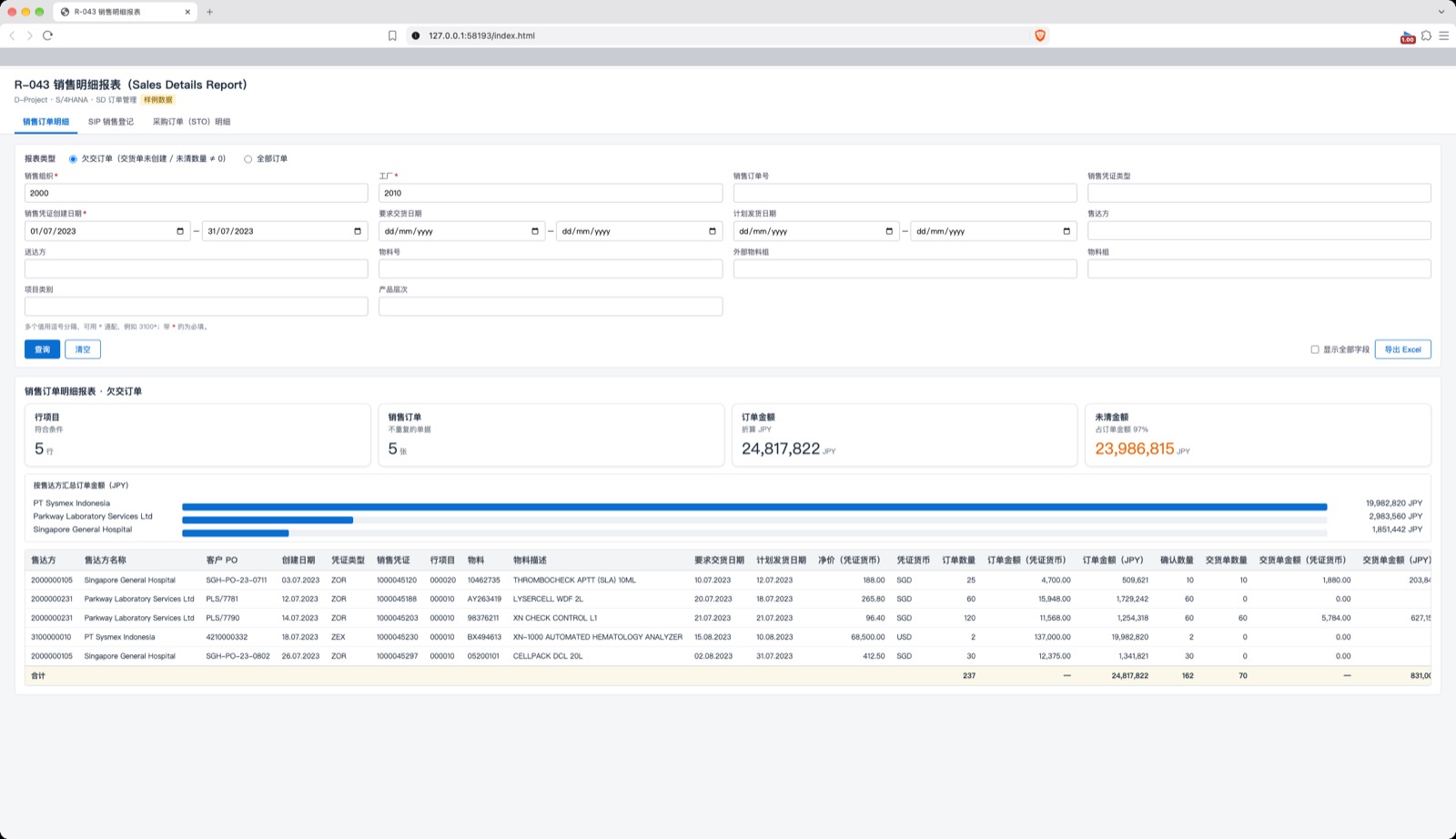
Everything below was done today on a Mac with the installed app, in English. The example is the Sysmex R-043 Sales Details Report, built from its 4 original requirement files: the FSD/TSD, two field-mapping sheets and one sample-data sheet.
01Files in, page out
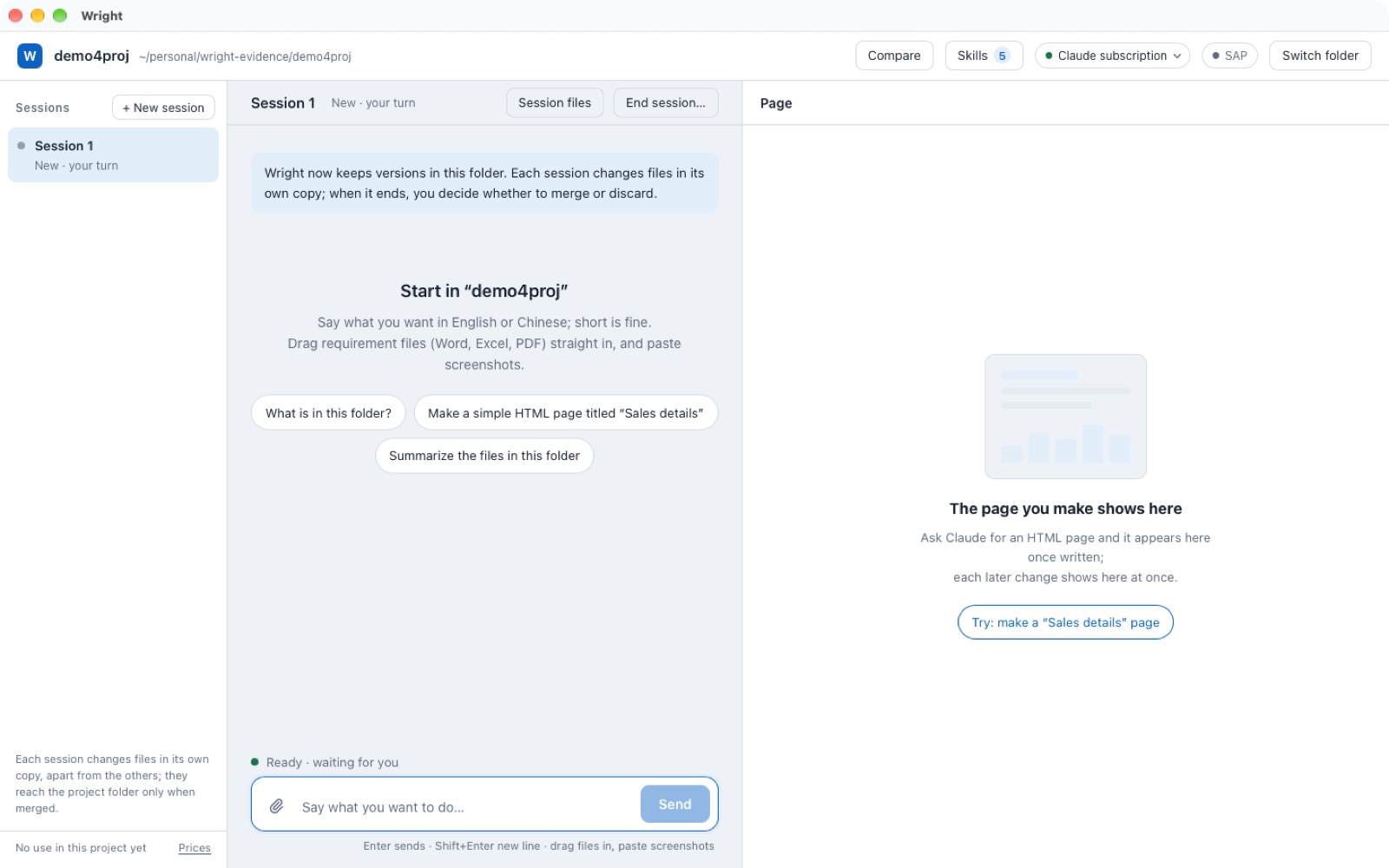
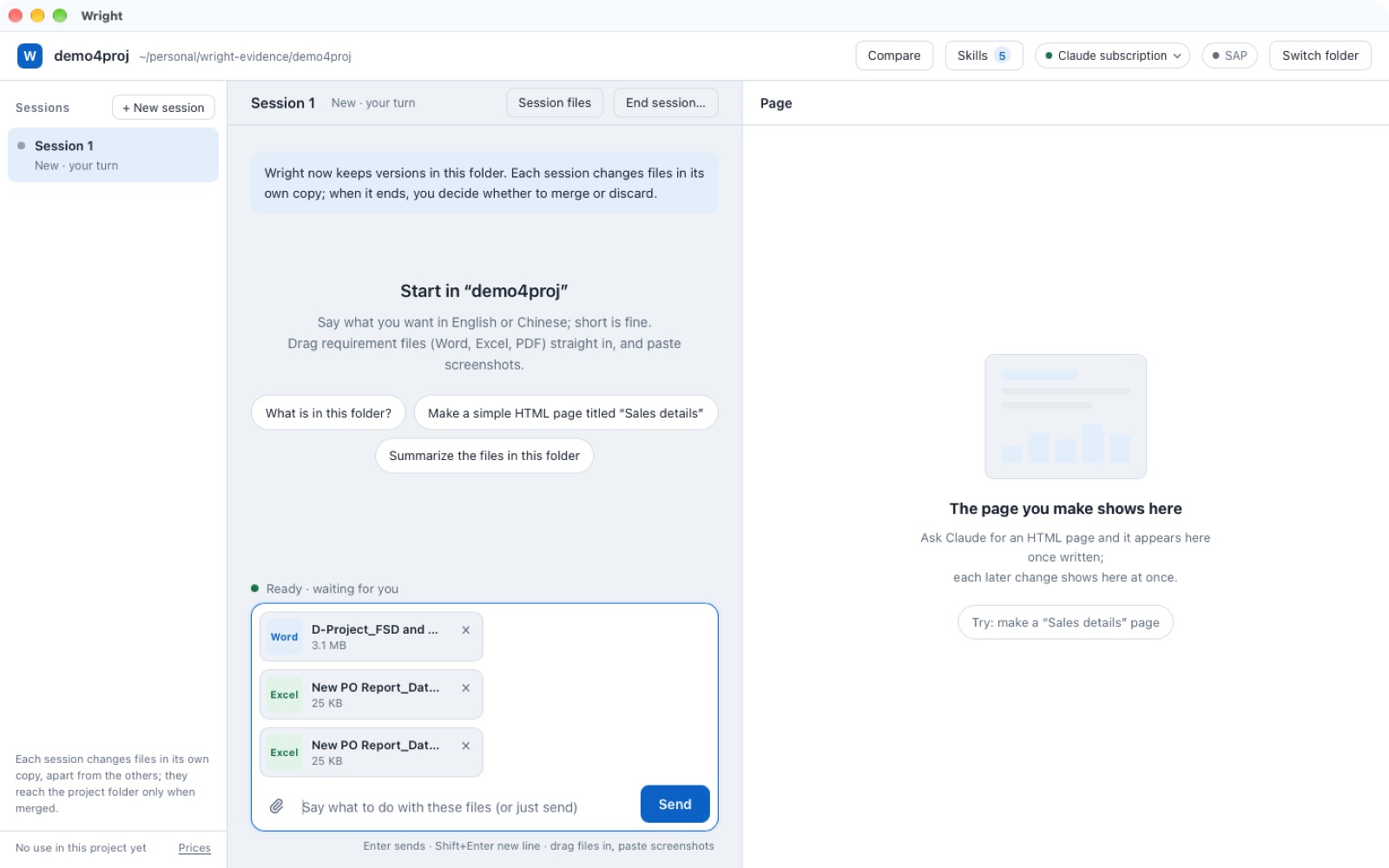
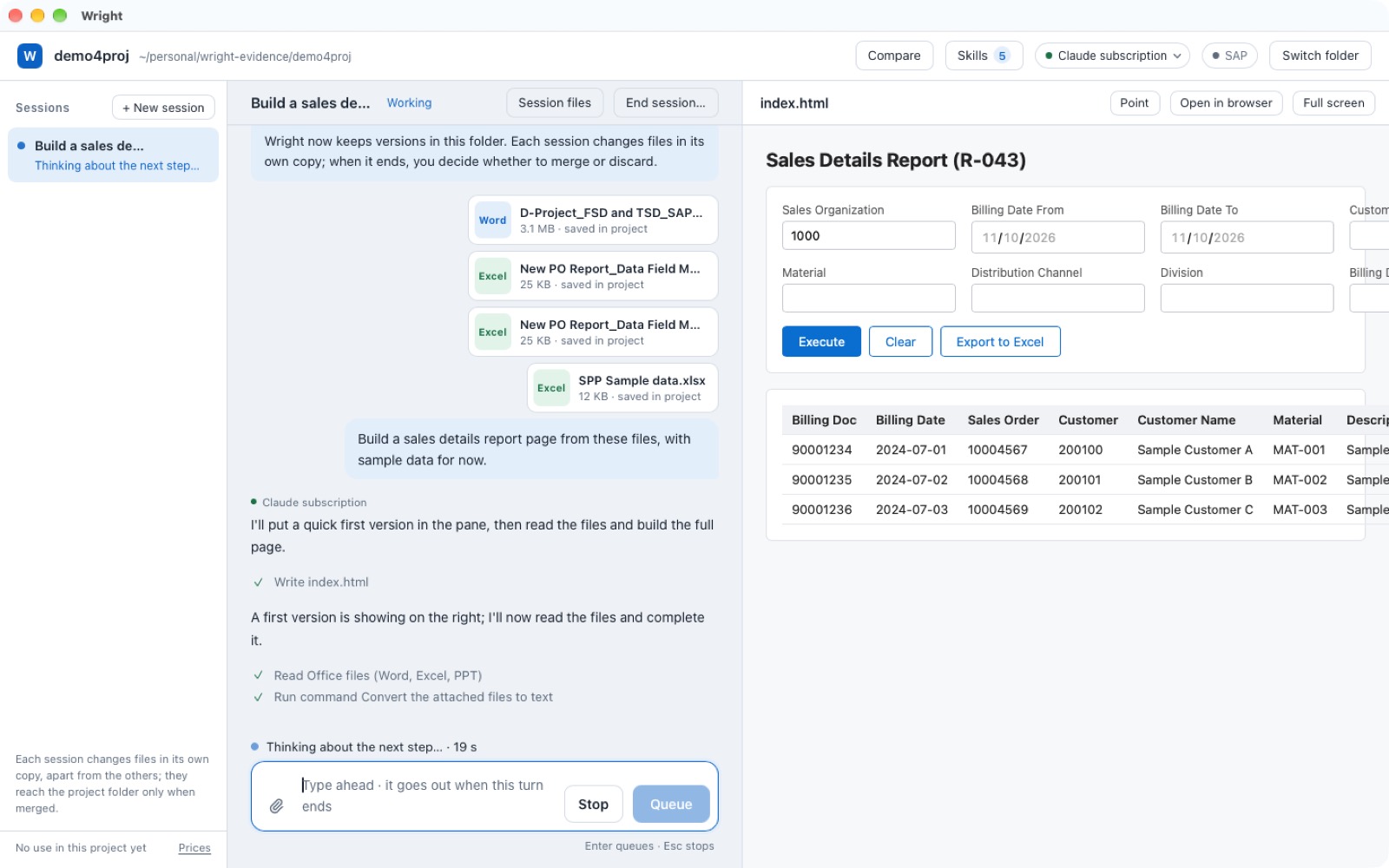
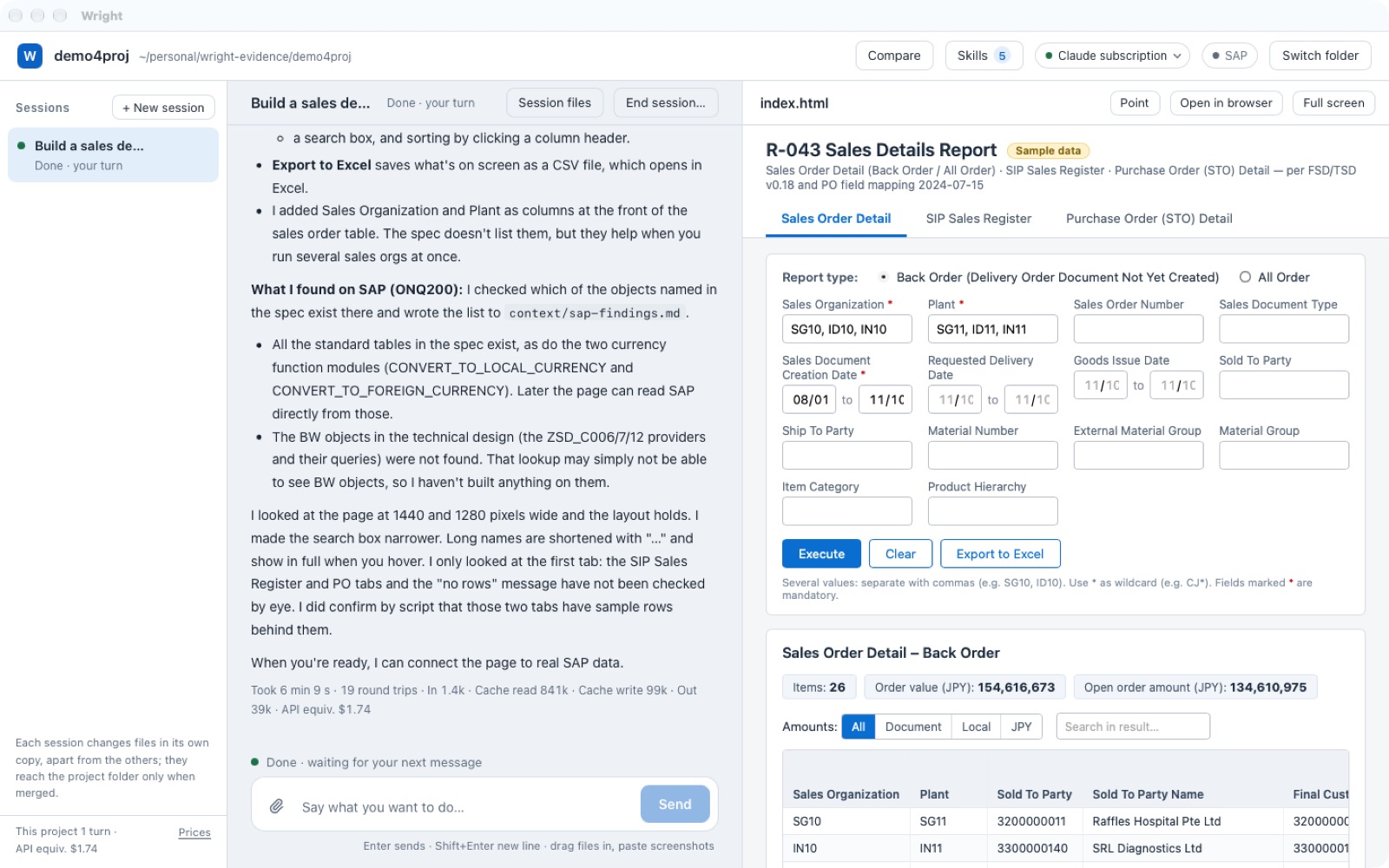
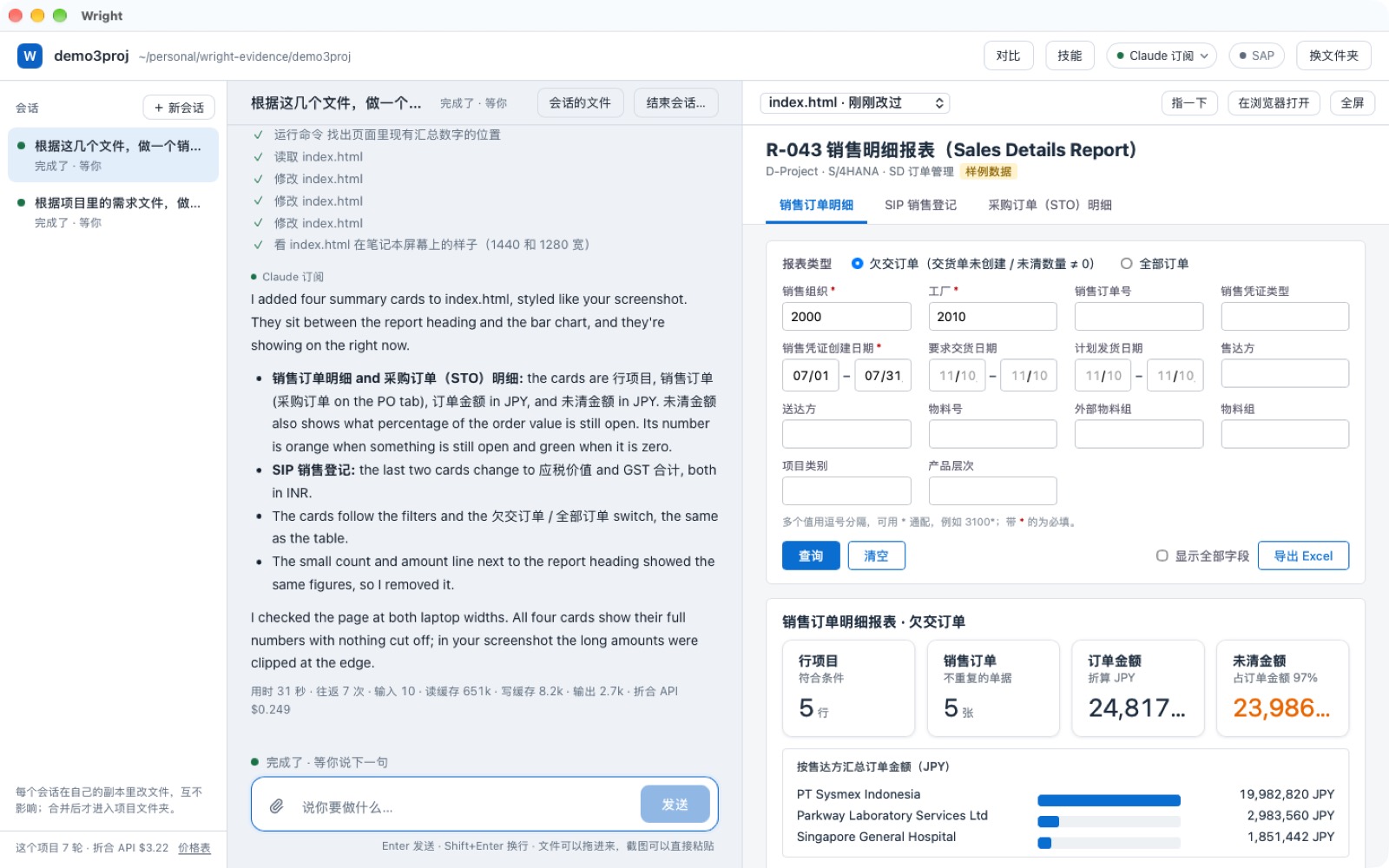
Paste or drag the requirement files in and say "build a sales details report page". No long brief and no waiting for the whole job: after 20 seconds a first full page is on the right, and it fills in while you watch. The left side always says what it is doing.
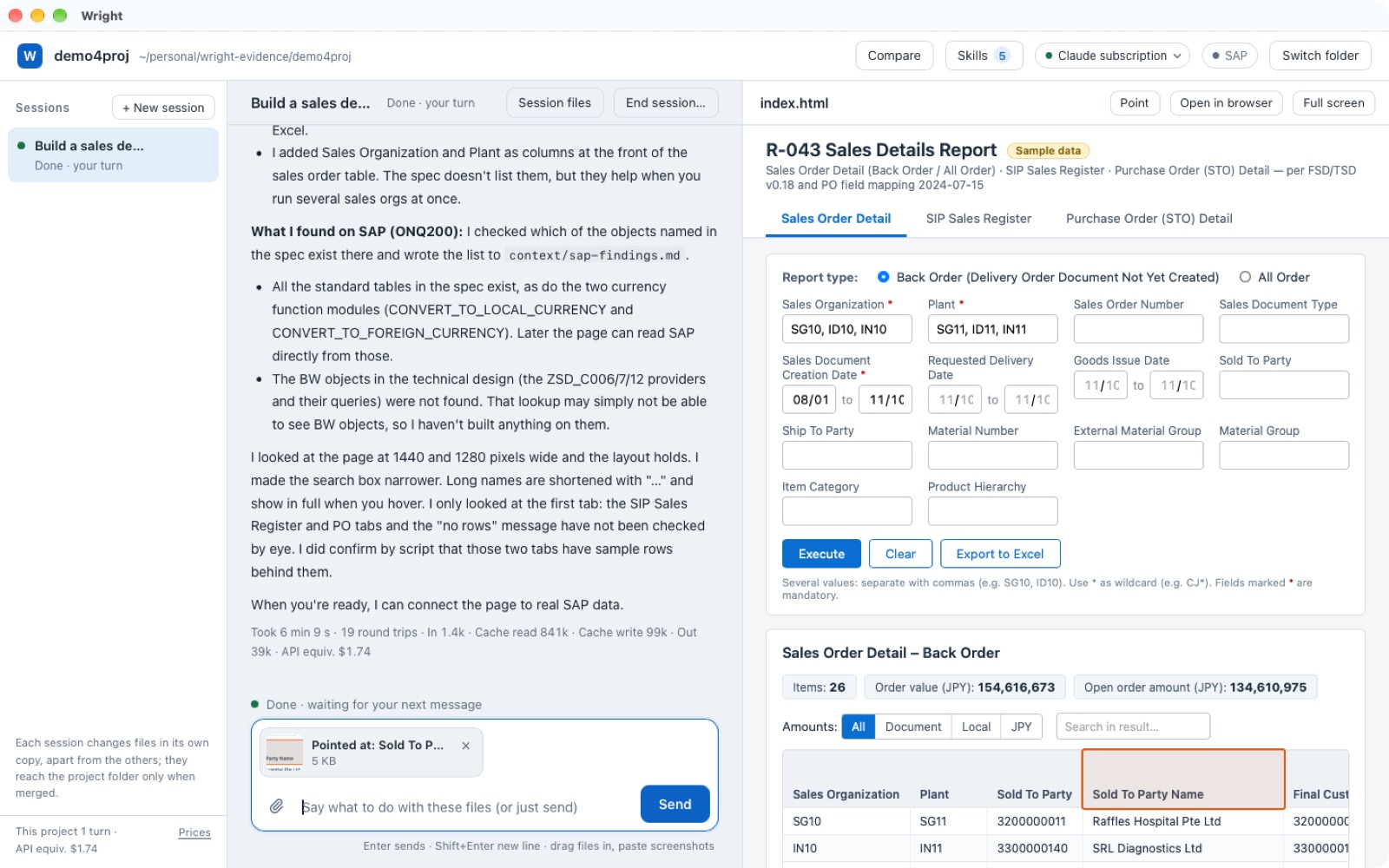
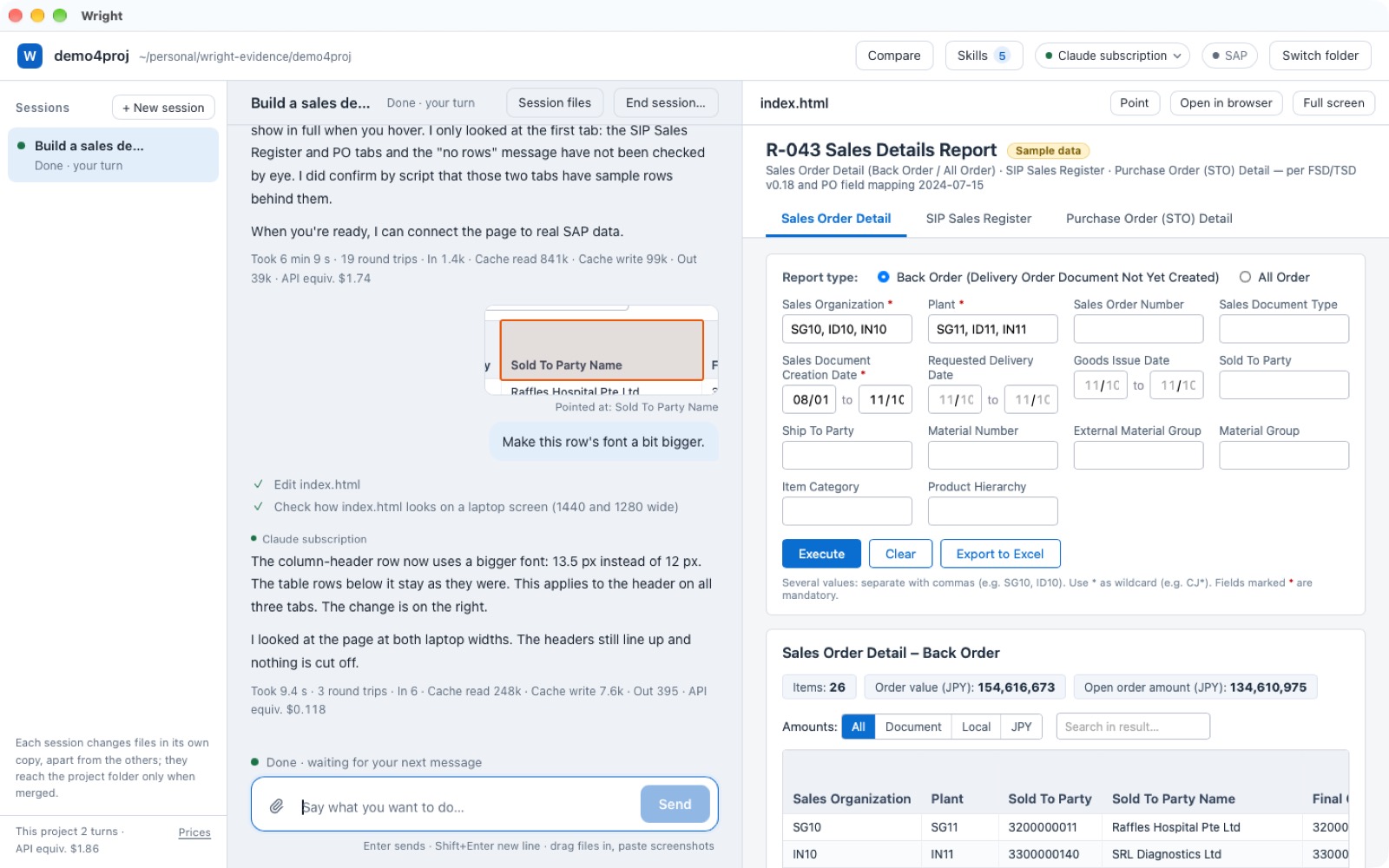
02Point at it and say what to change
To change something, hold ⌥ and click it on the page, then say "make this row's font a bit bigger". No need to explain which part you mean.
03Ask for Fiori, get the Fiori look
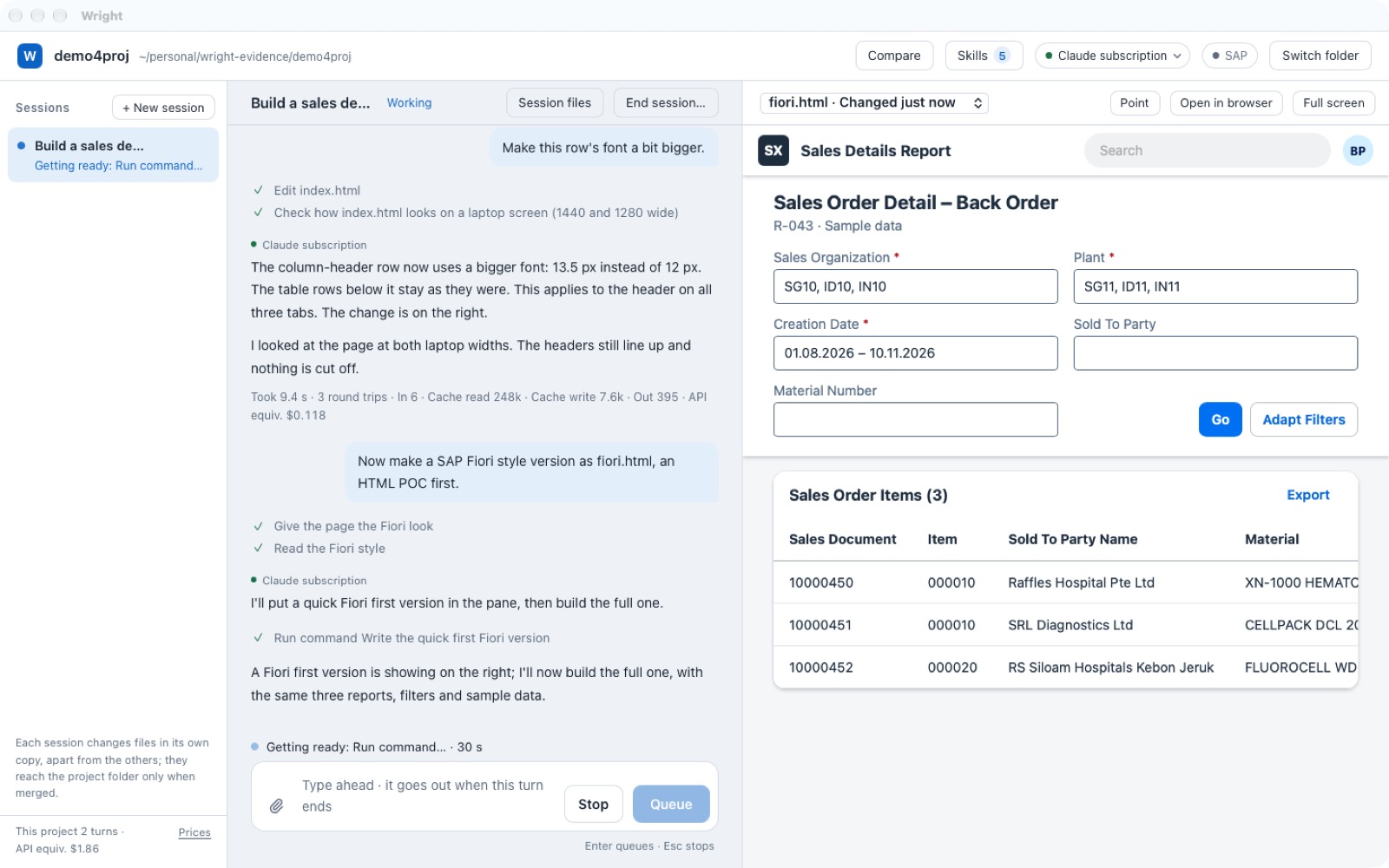
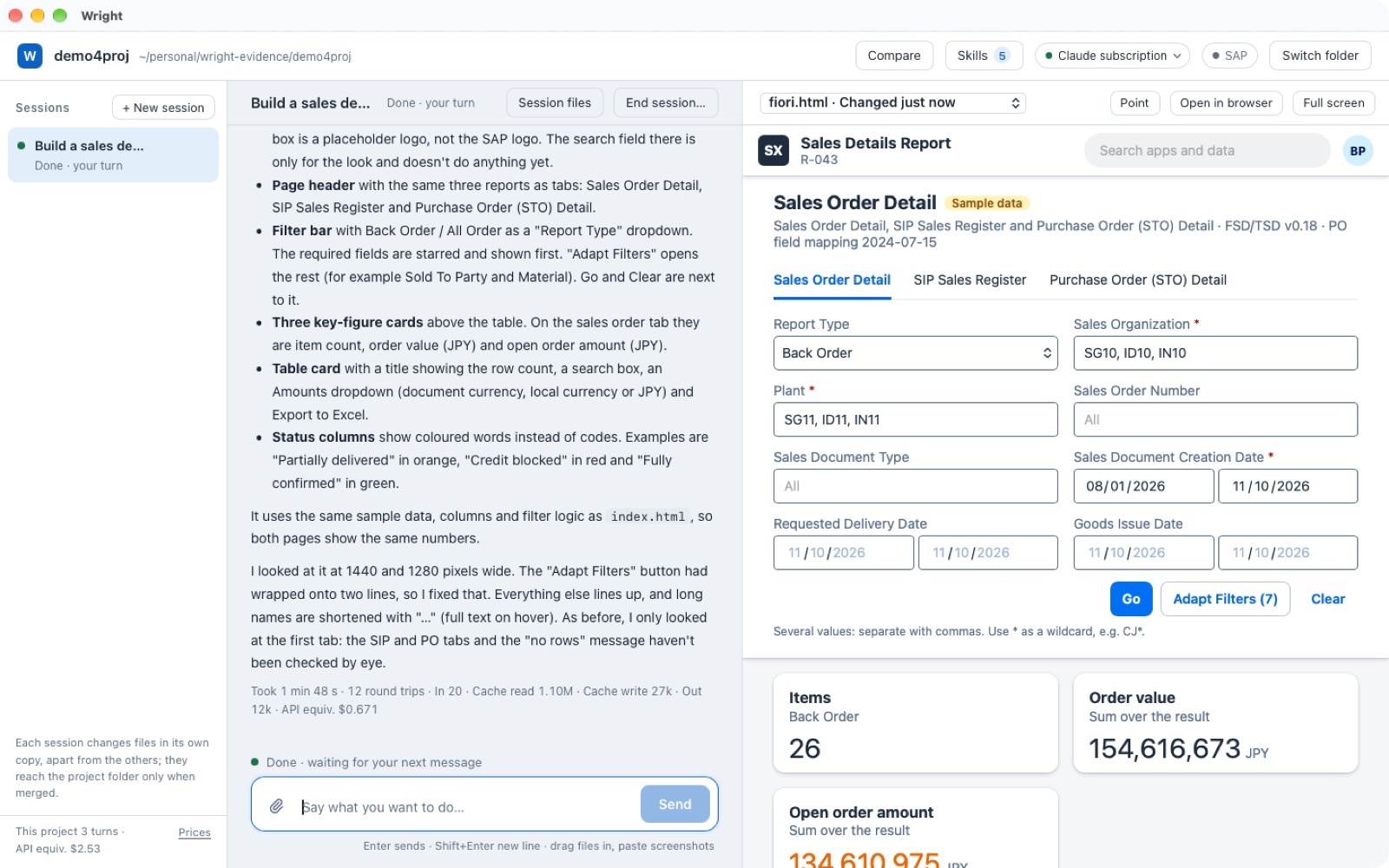
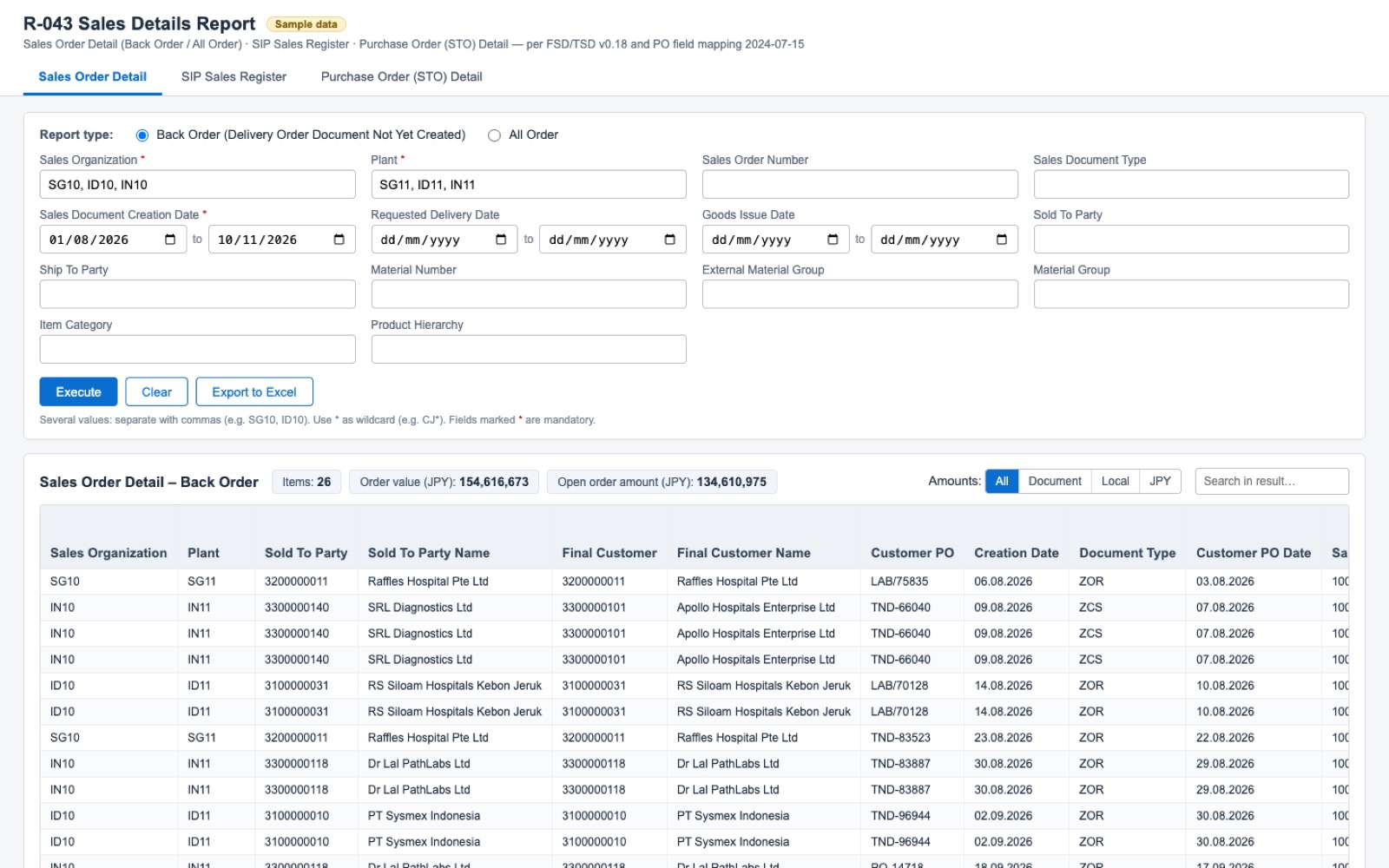
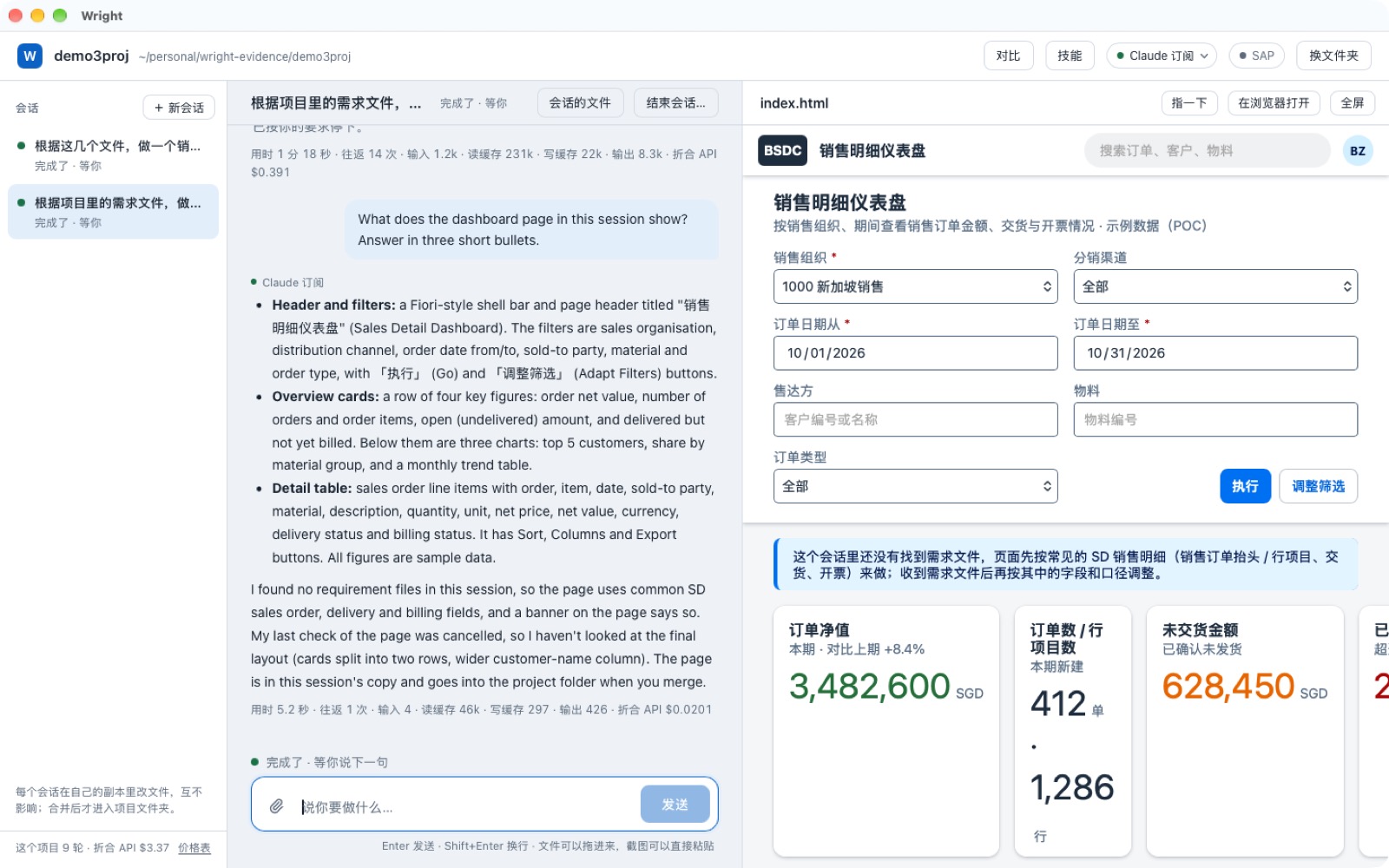
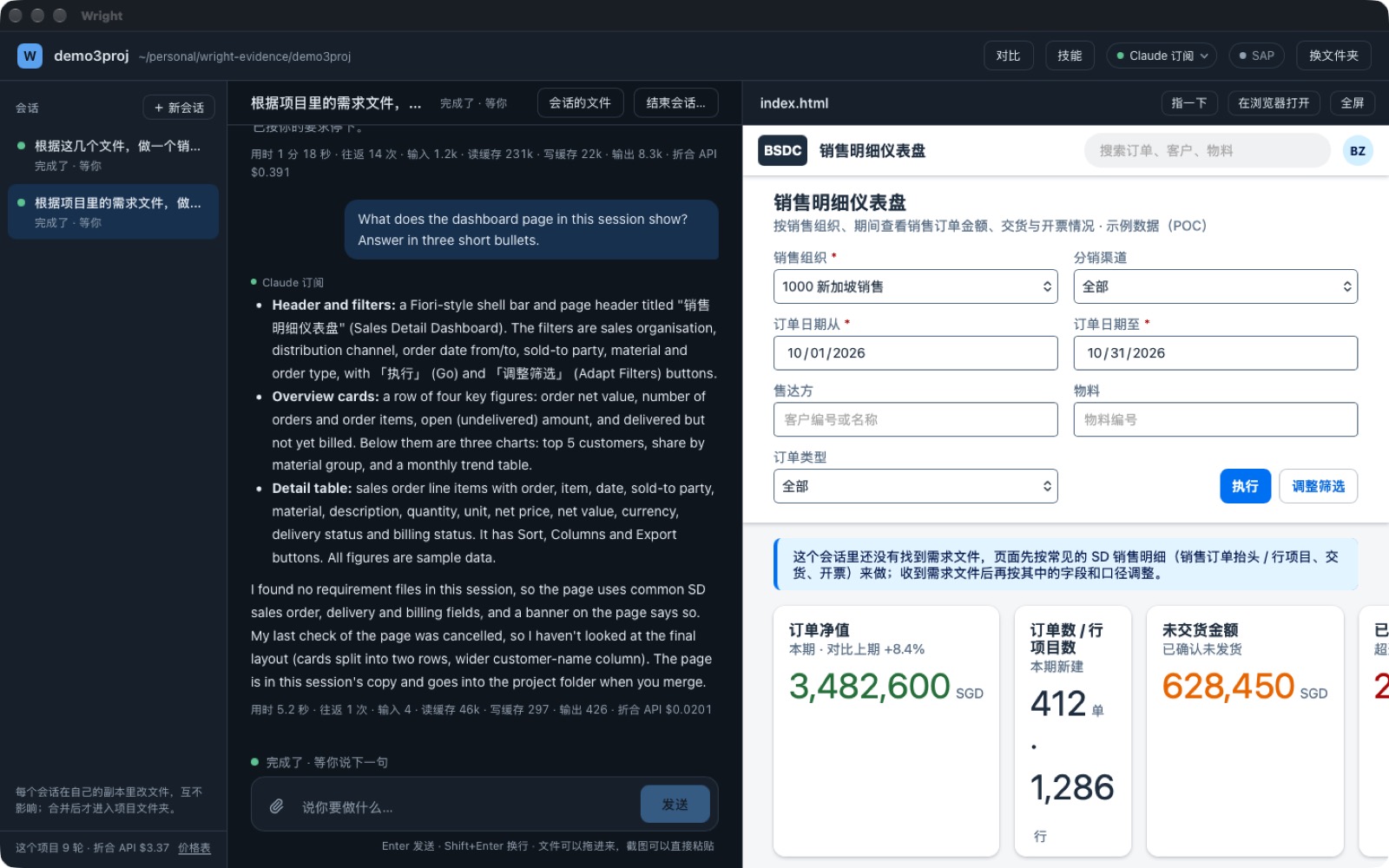
One sentence, "make a SAP Fiori style version", and the first version already looks like Fiori: shell bar, filter bar, key-figure cards and a table card in SAP's own colours and fonts. It starts as an HTML page so you can see it; once you are happy it can become a real Fiori app.
04All the way to SAP, safely
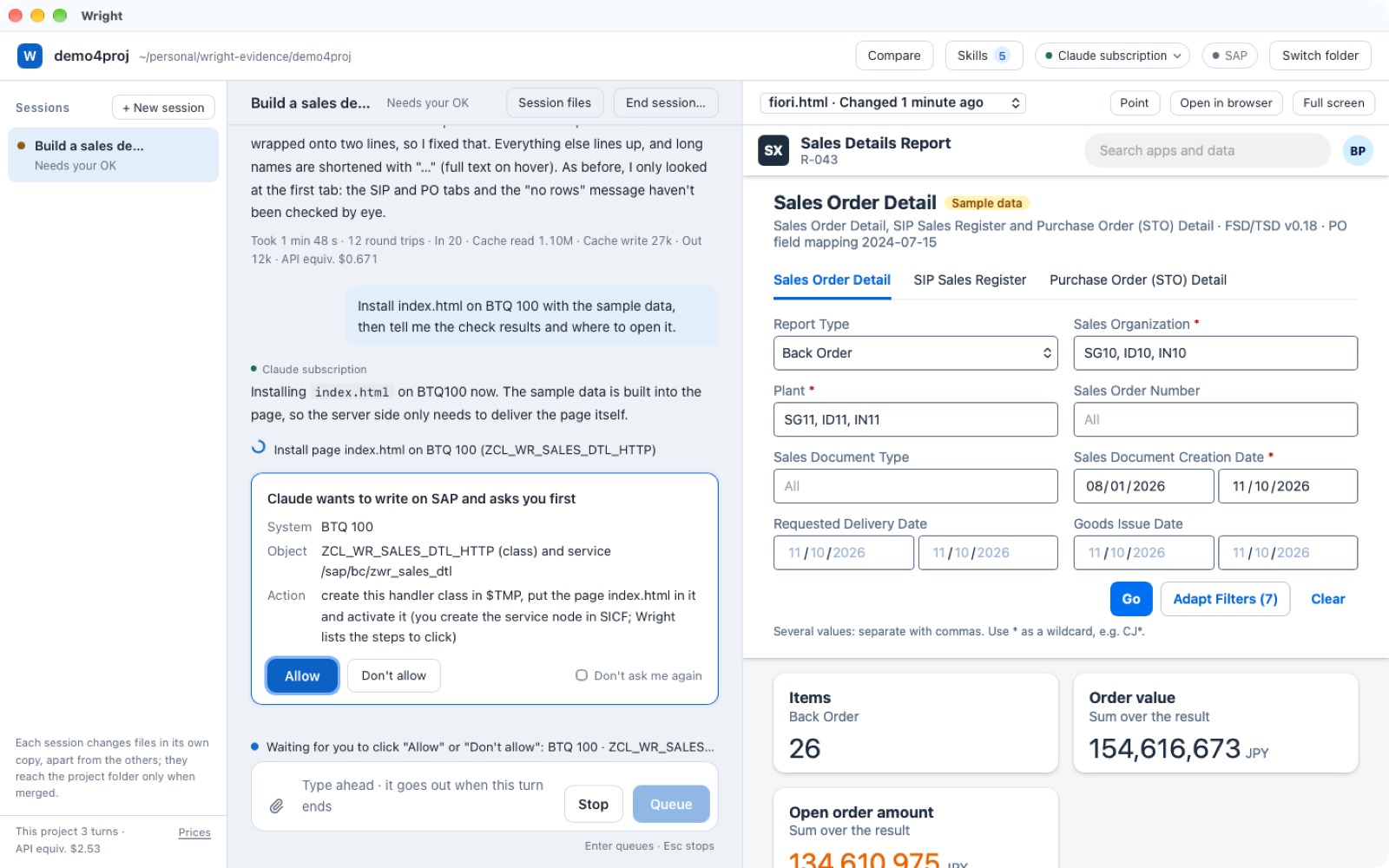
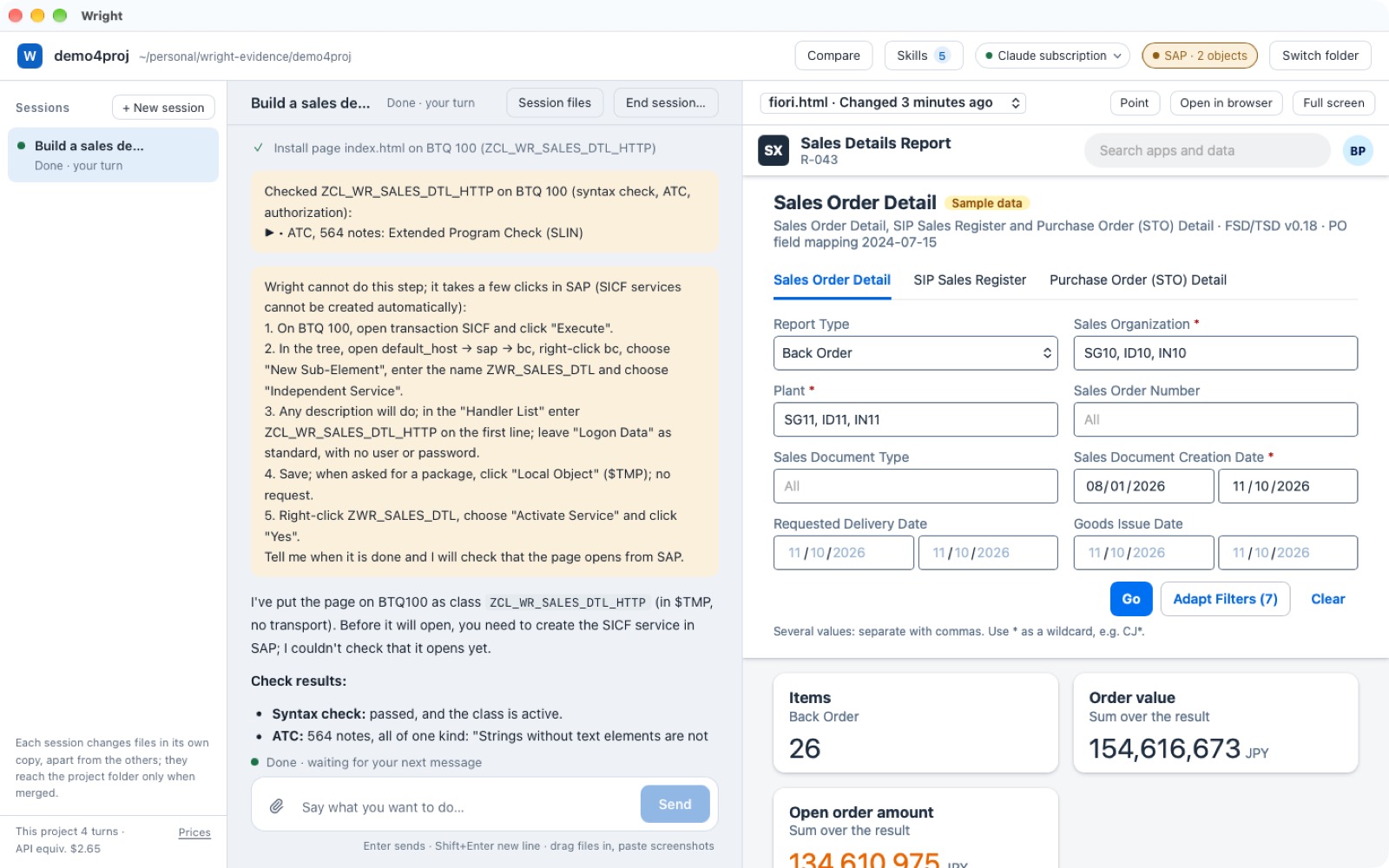
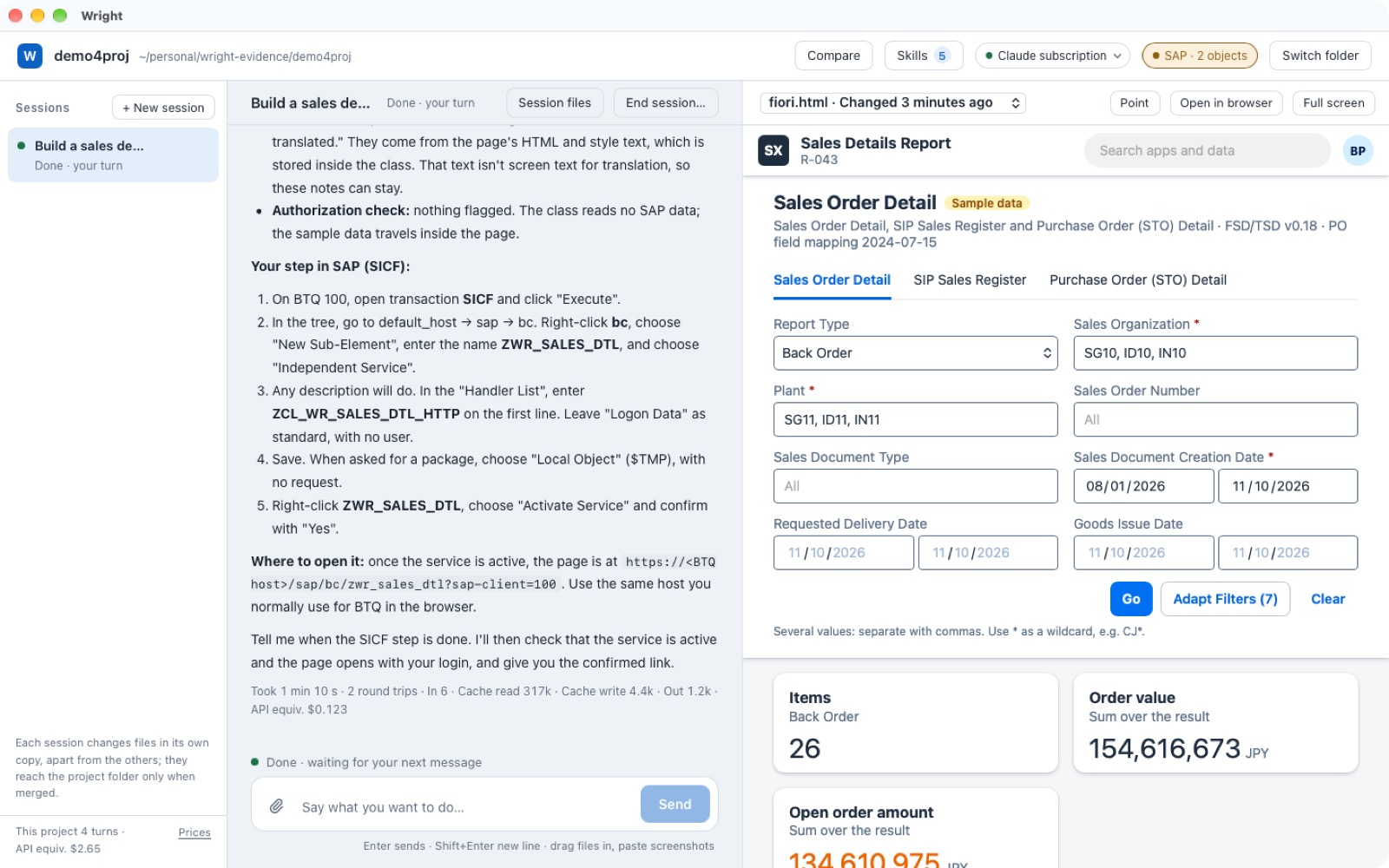
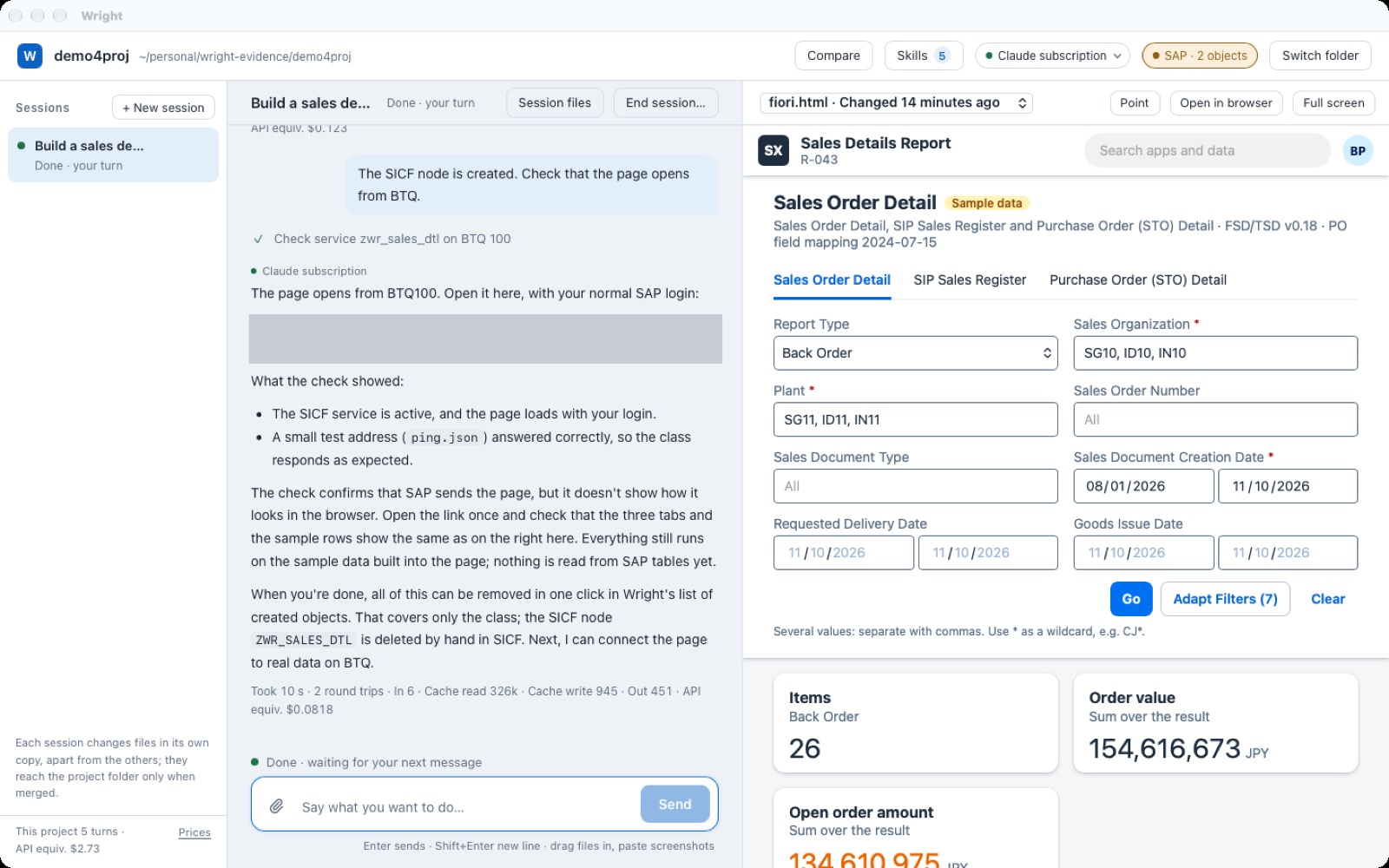
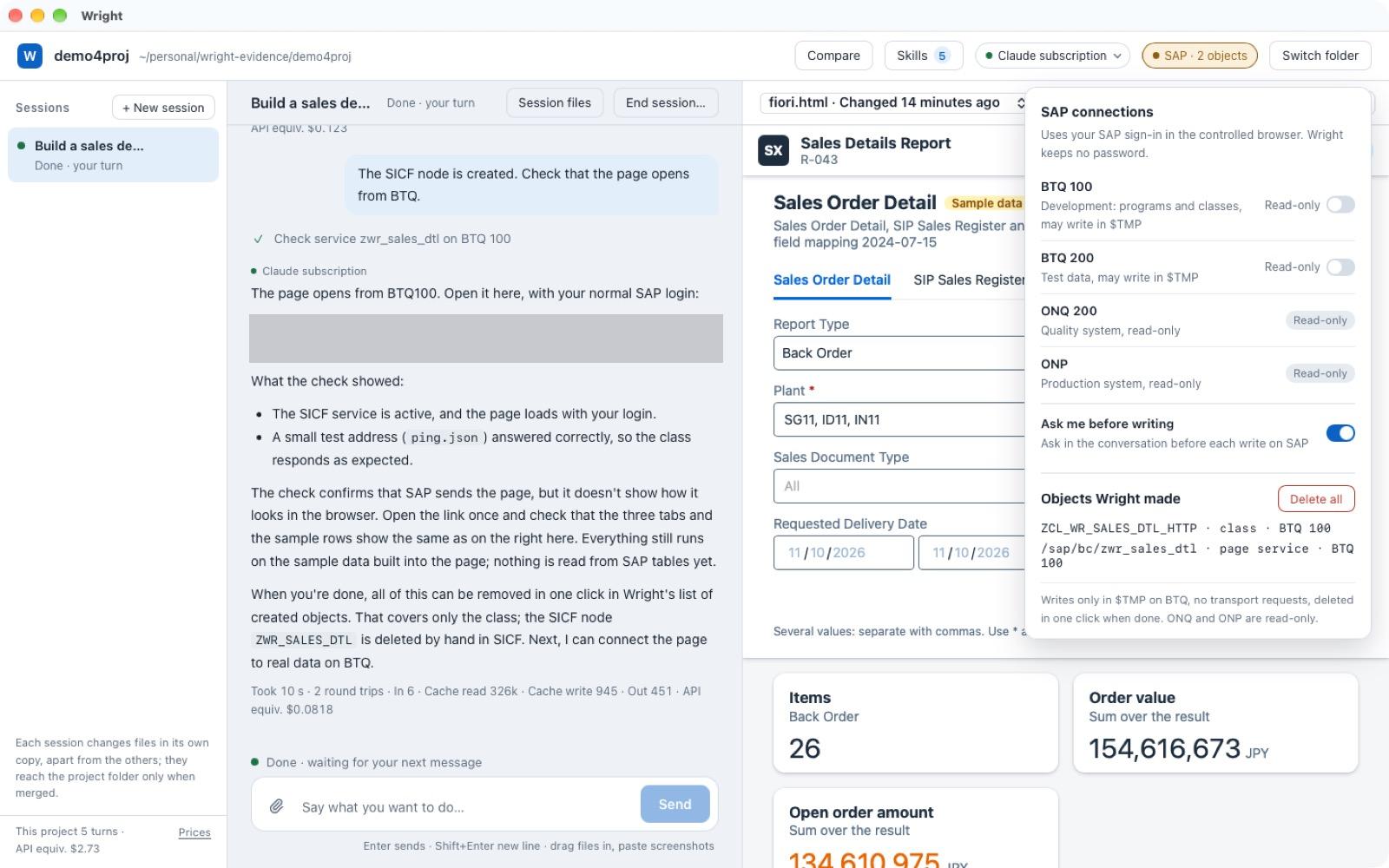
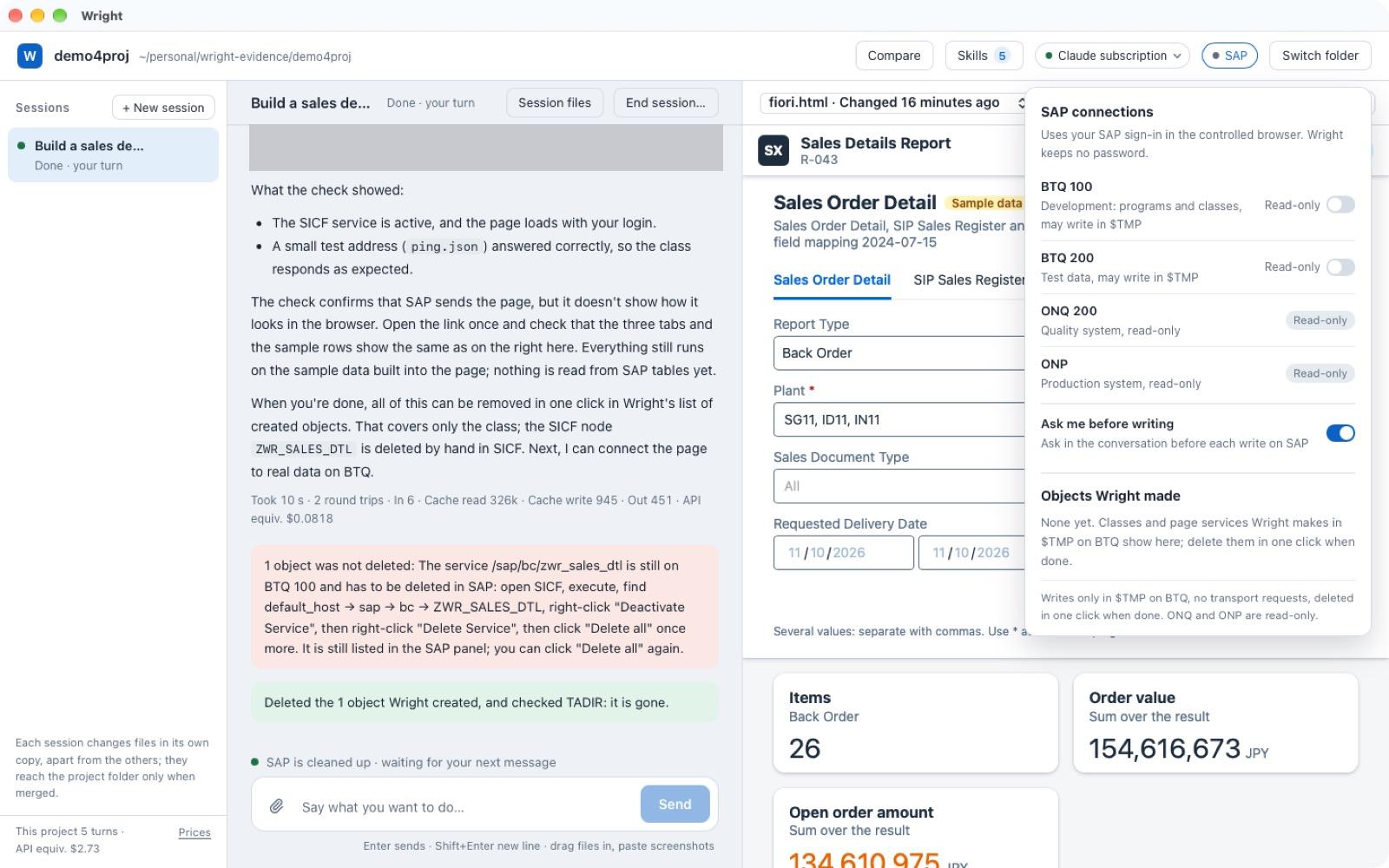
When the page is right, say "install it on BTQ 100". Three safeguards hold the whole way:
05Working comfortably
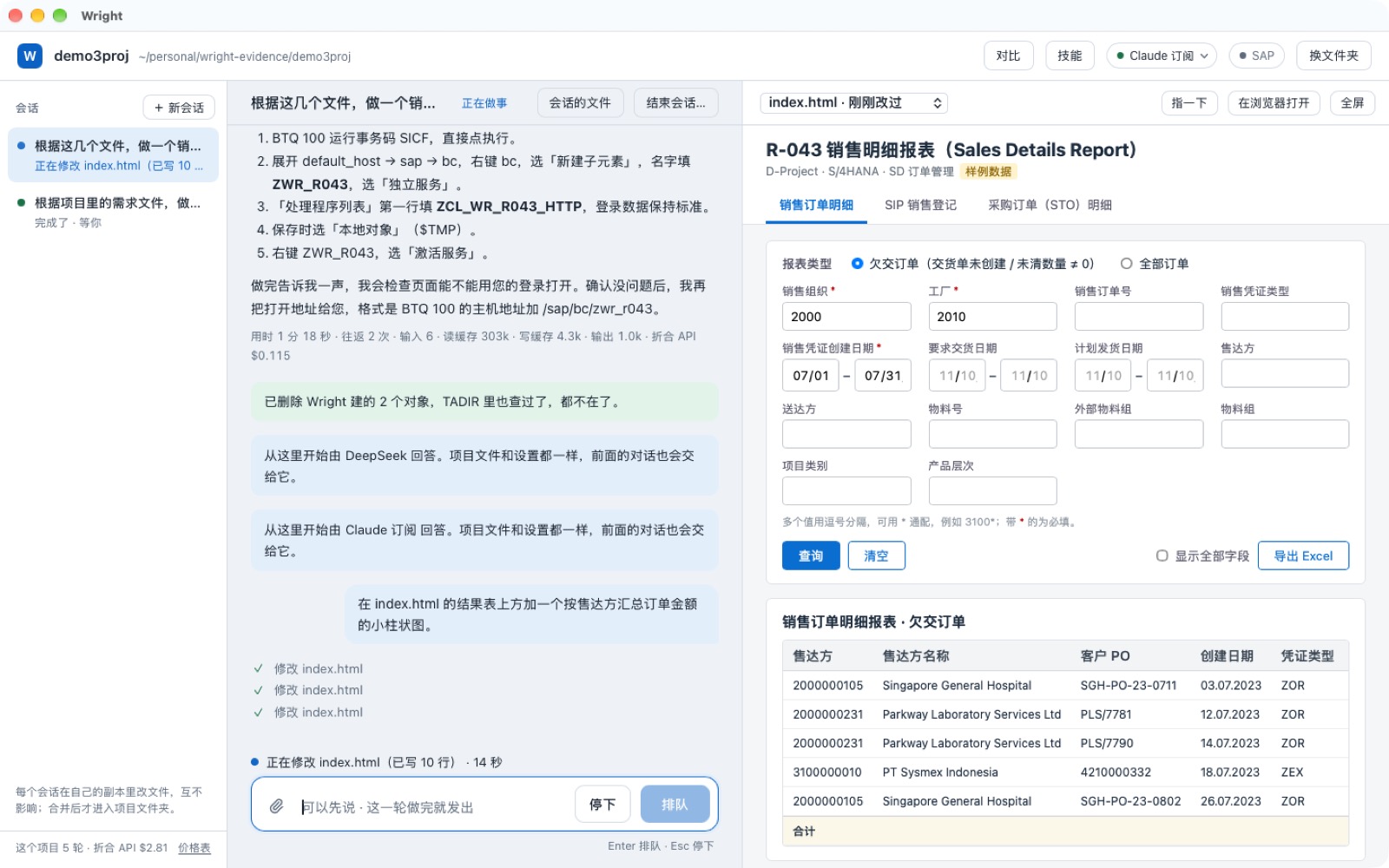
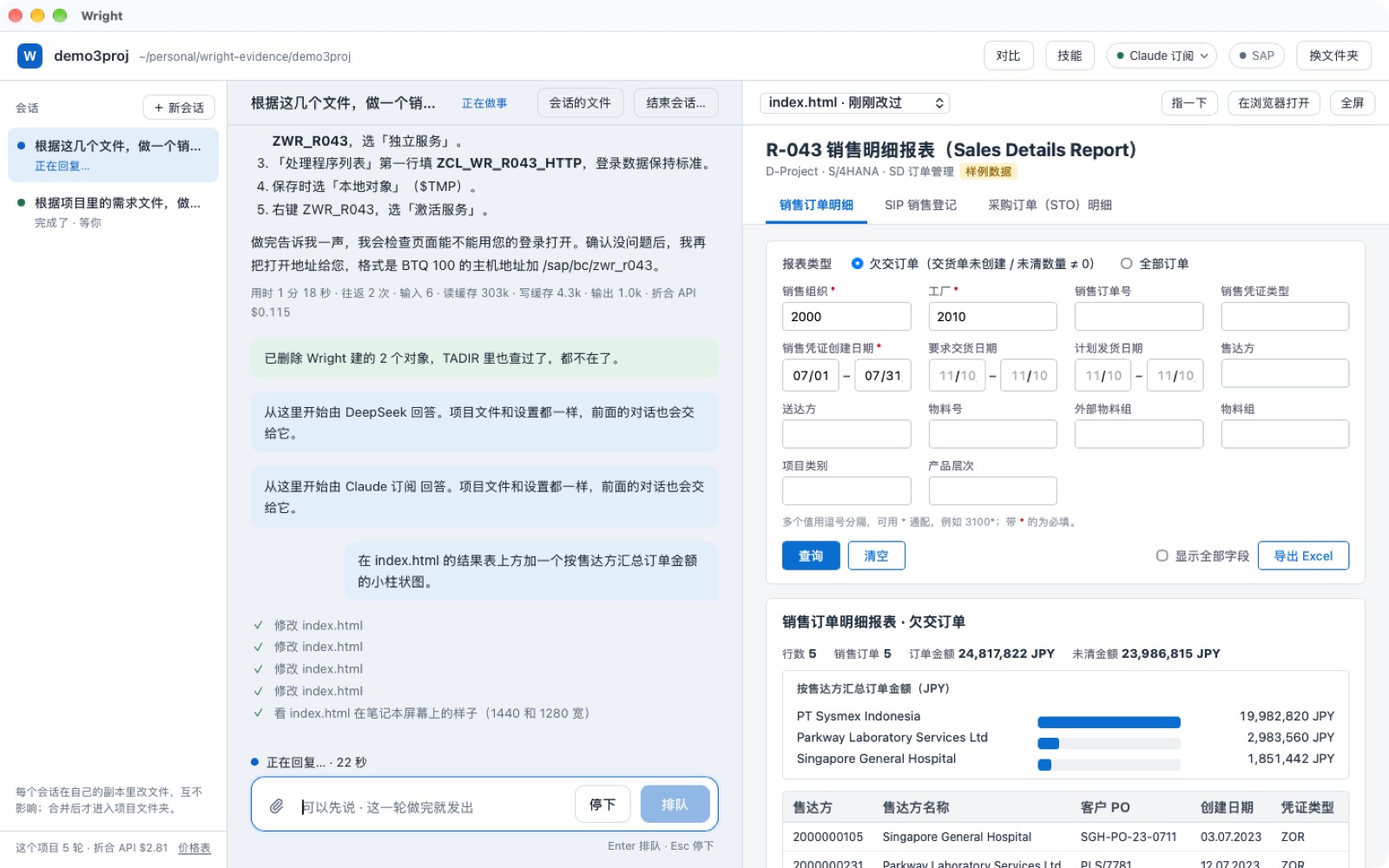
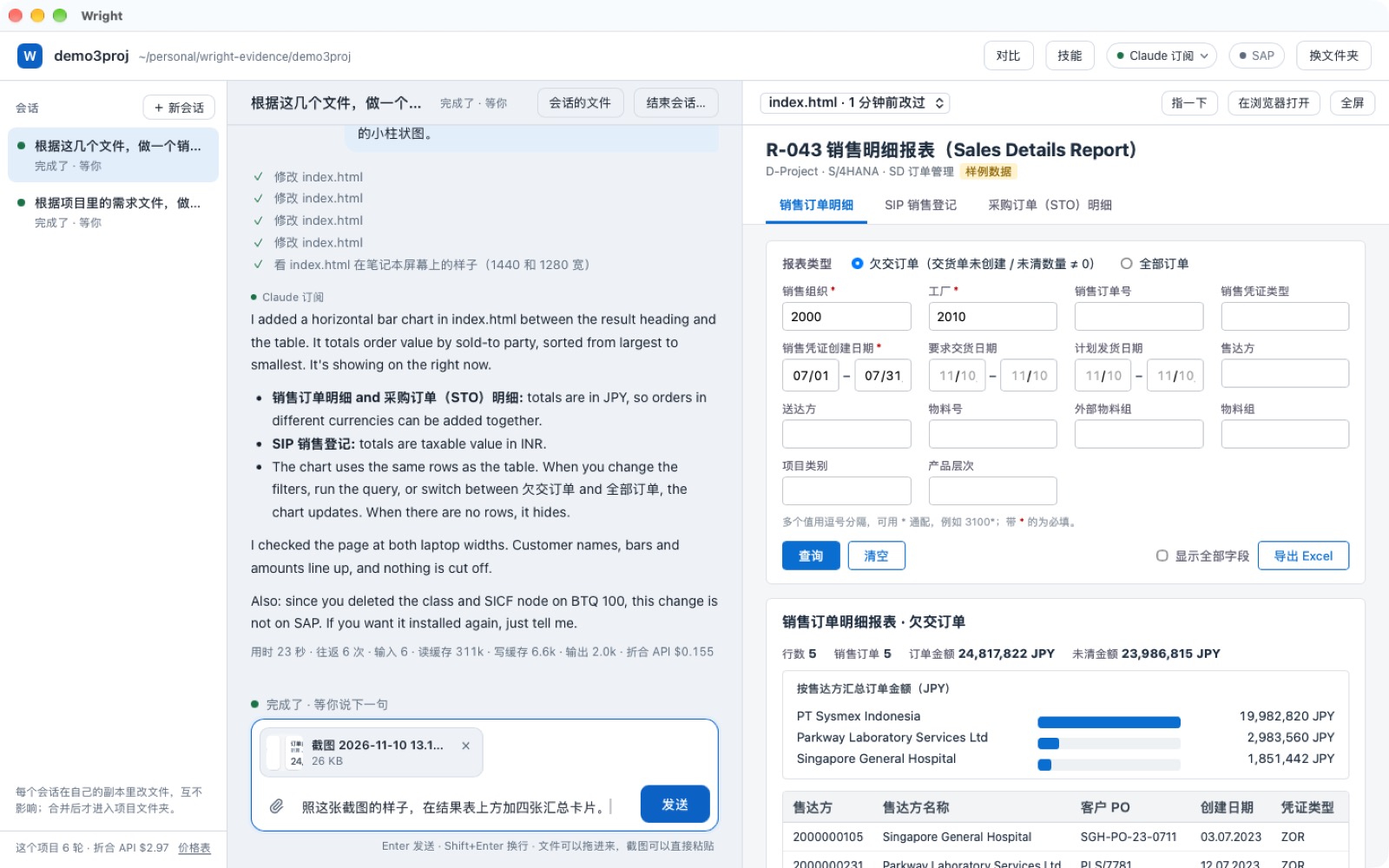
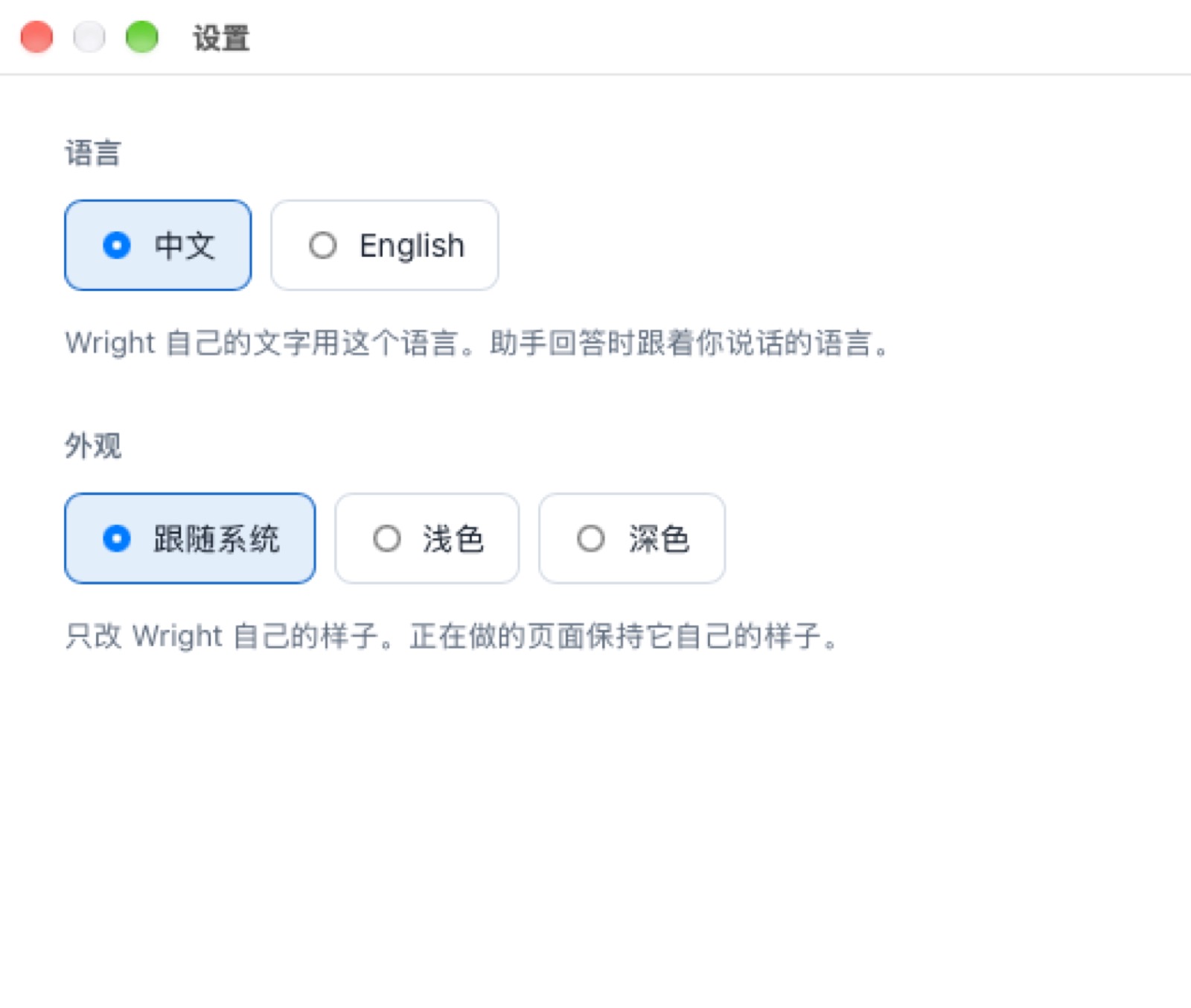
Small things that make the day easier: you always see what it is doing, several jobs can run side by side, a screenshot works as an instruction, and Wright speaks your language.
Skills that learn, within rules
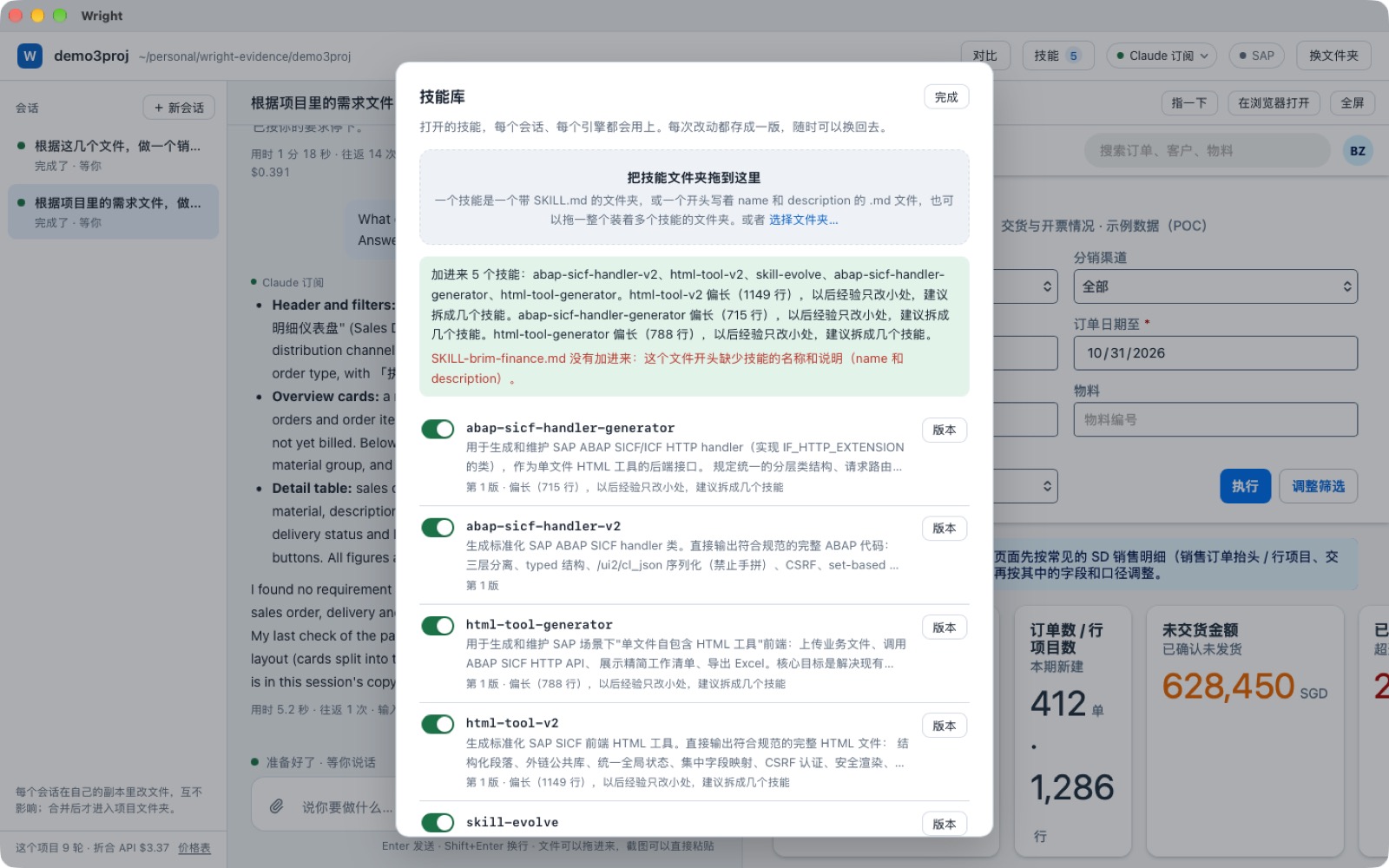
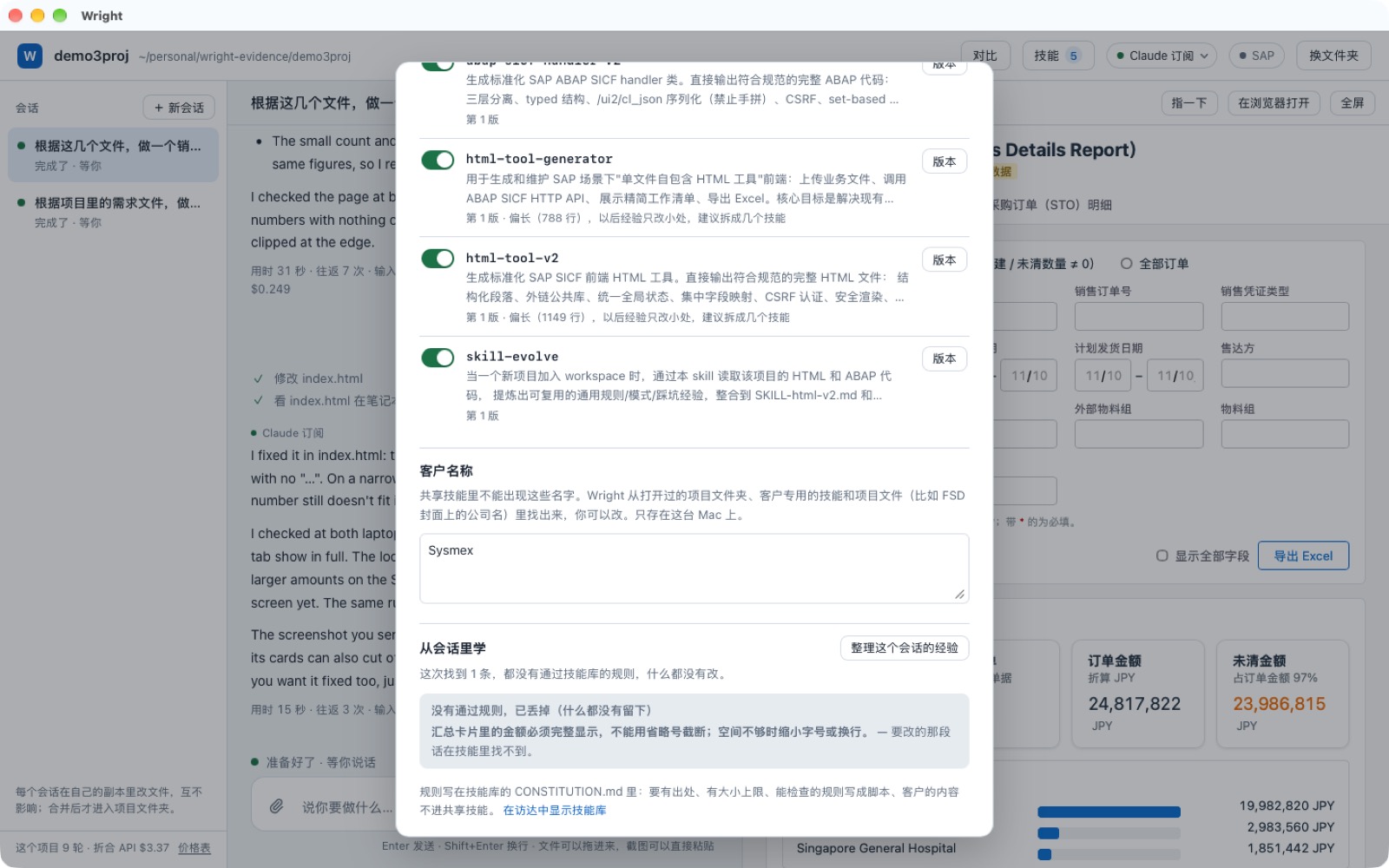
Your team's know-how lives in a skills library. Every change becomes a new version you can go back to, and a lesson only enters the library if it passes the written rules (the "constitution").
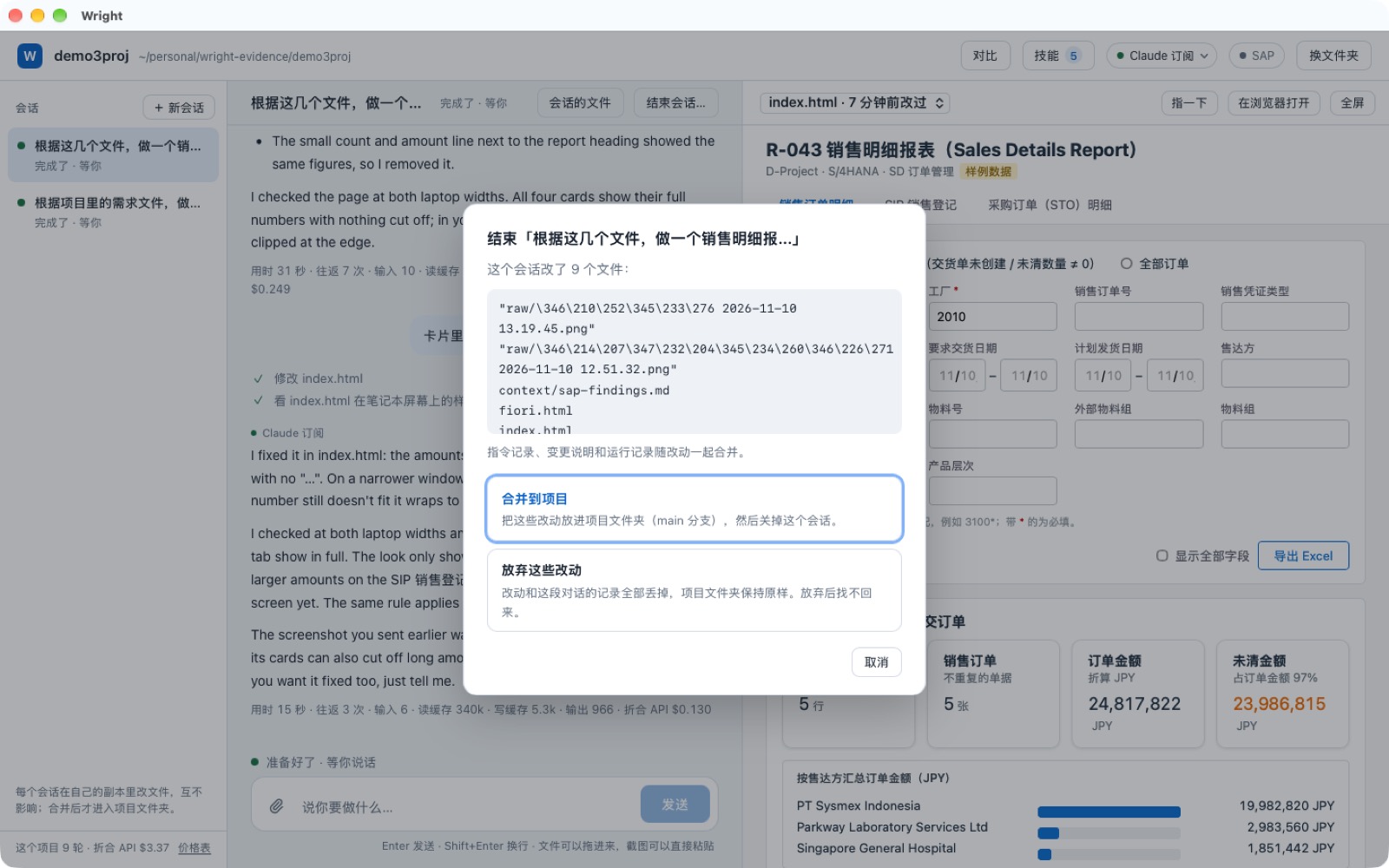
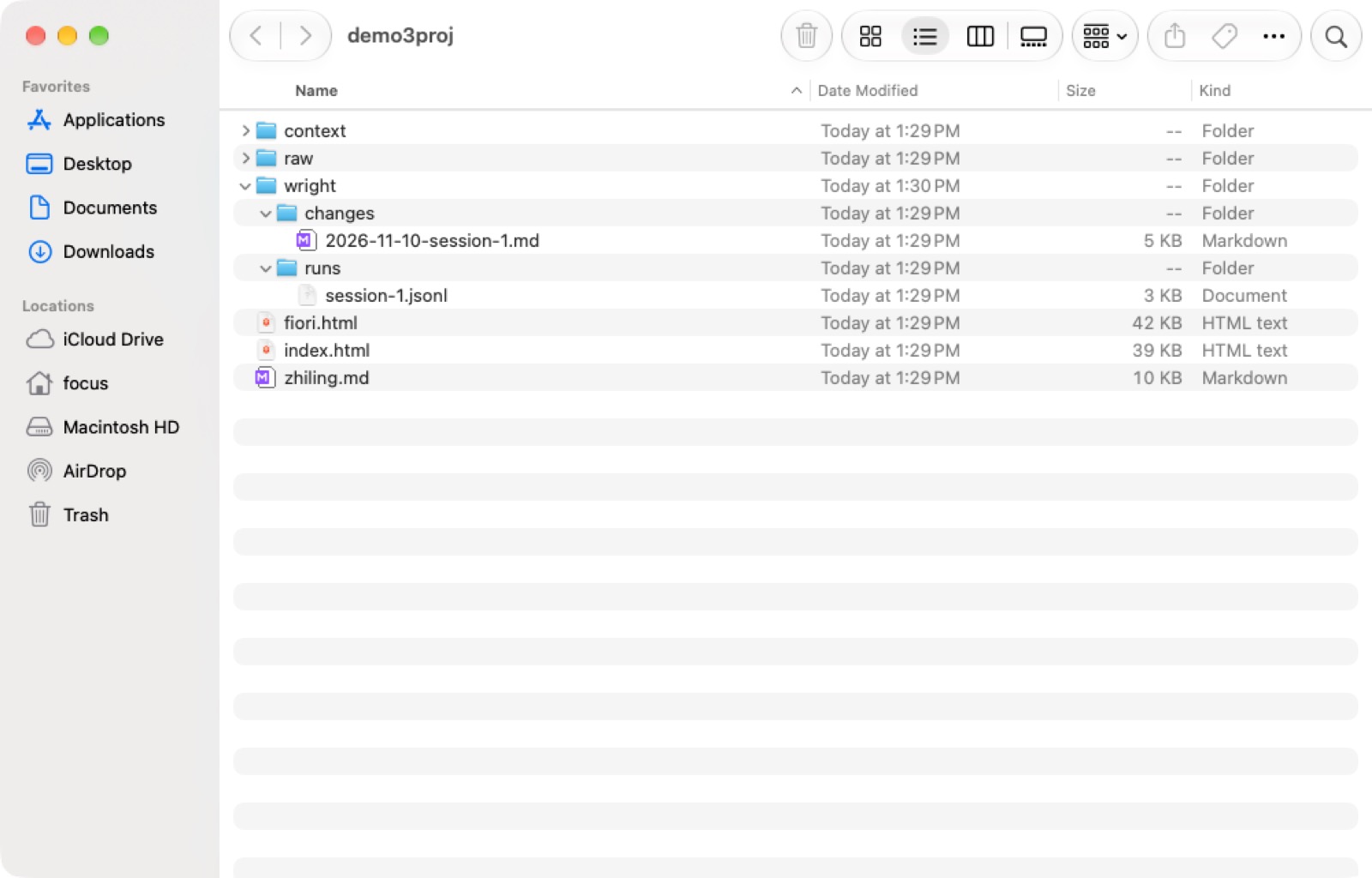
Every change is recorded
06What each step costs; switch engines any time
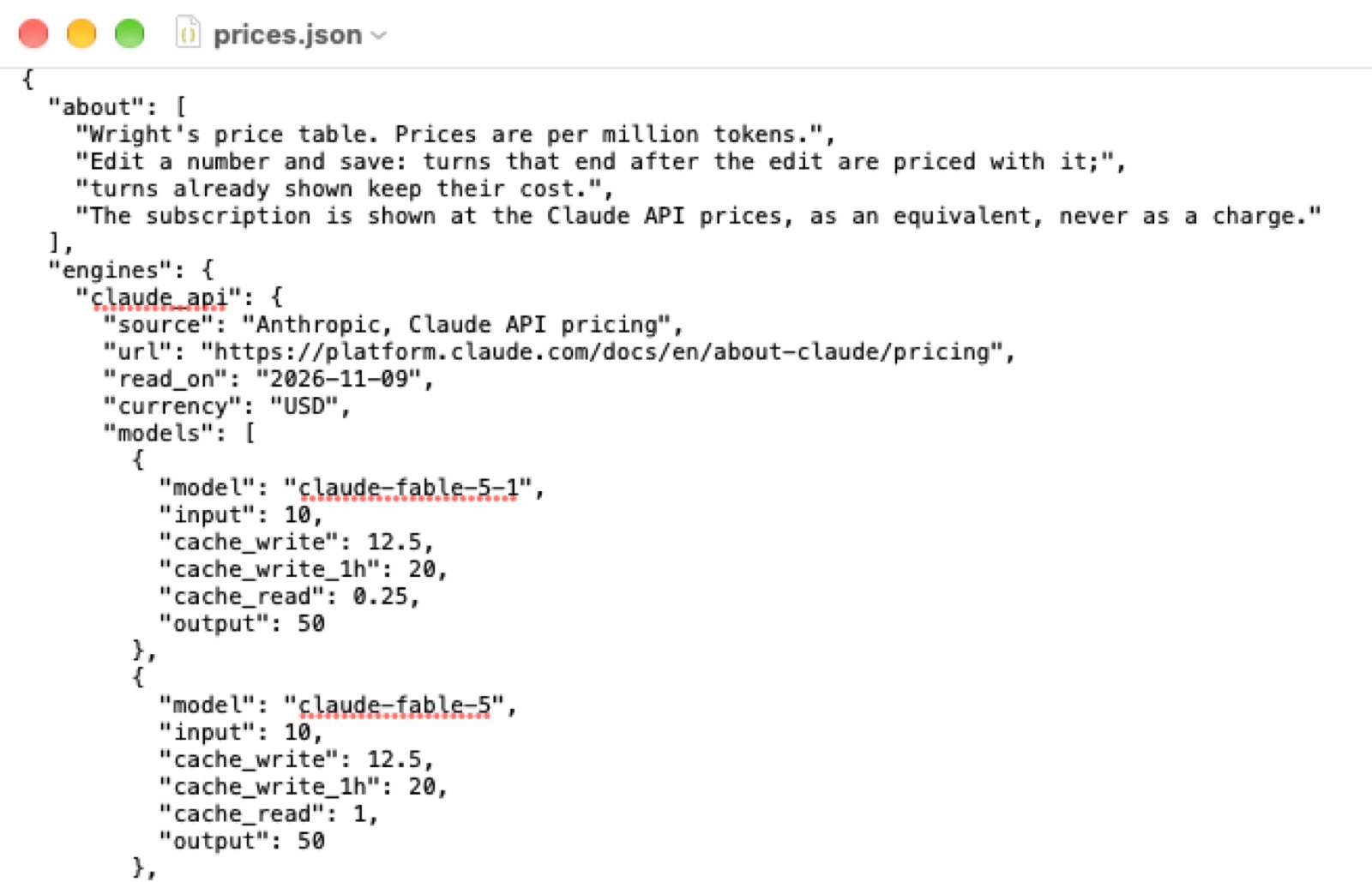
Under every reply: how long it took and what it cost. On the Claude subscription it shows what the same use would cost at API prices. Within one conversation you can switch engines; the project files and the conversation so far go to the new engine and it carries on.
07Four engines, one report, side by side
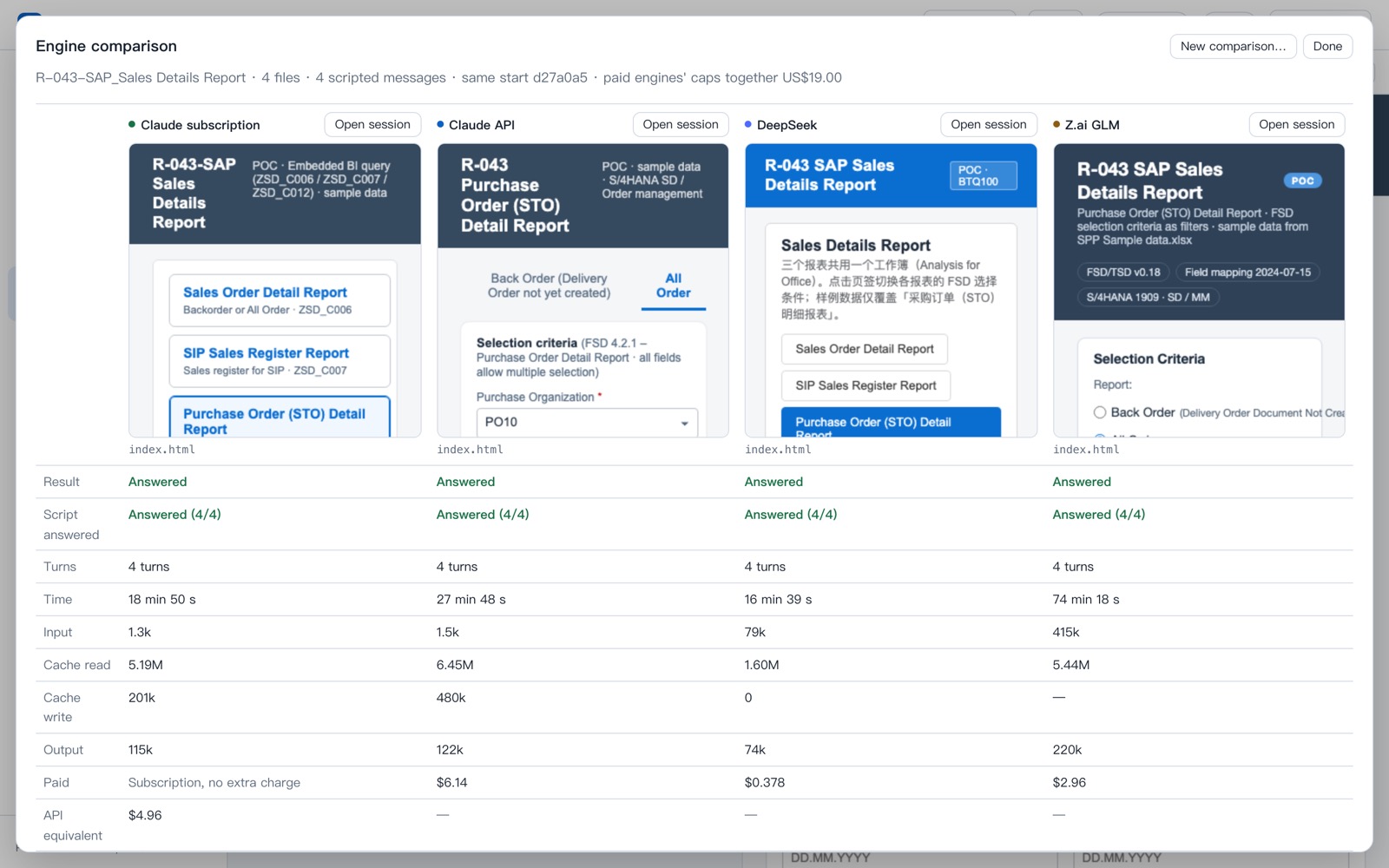
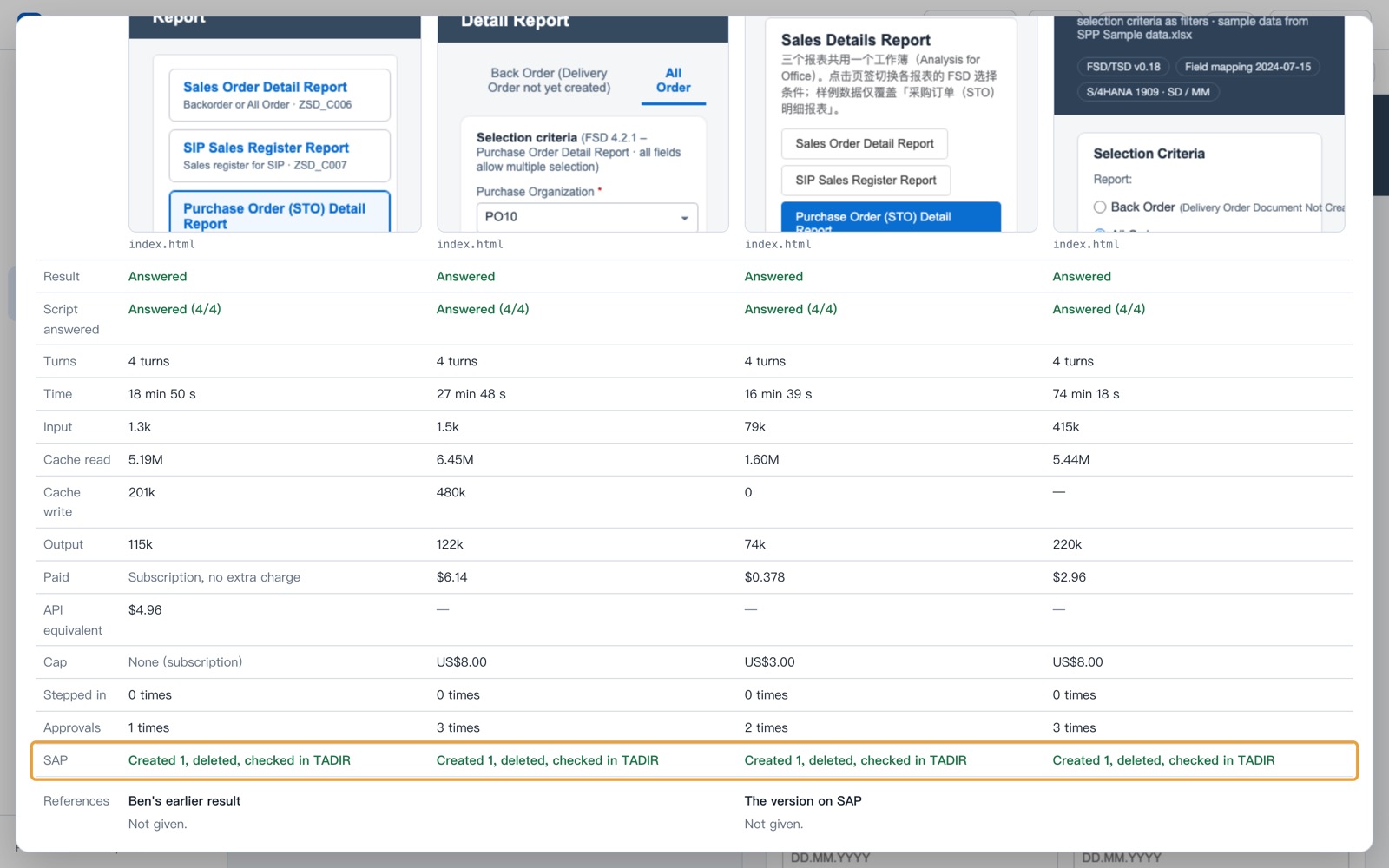
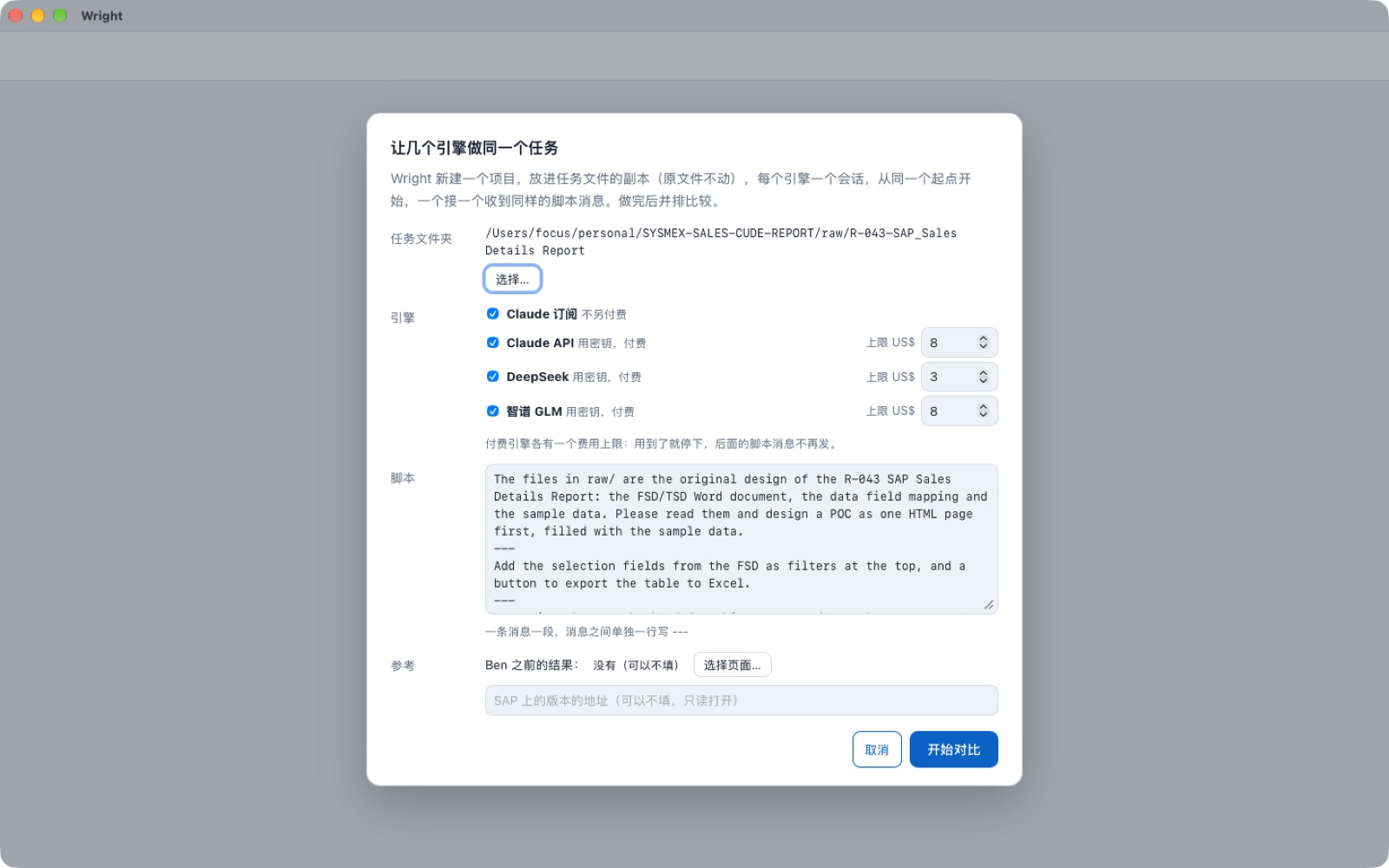
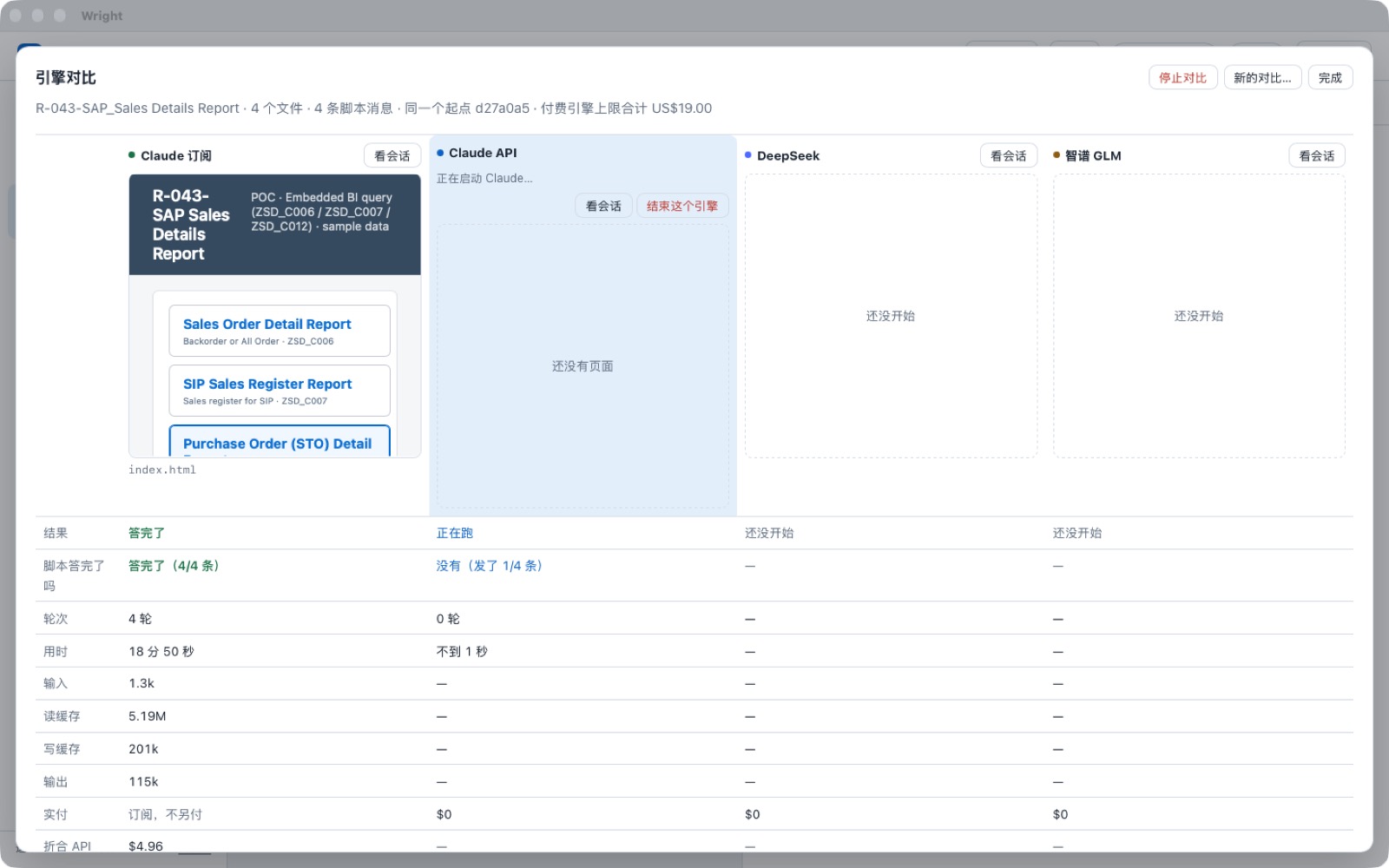
Same 4 requirement files, same 4 sentences, same starting point. The four engines run one after another and are compared on page quality, time, cost and whether a person had to step in. Whatever each engine creates on SAP is deleted at the end.
Today's run on the demo Mac: finished
Started 13:08, all four engines done at 15:31 (2 h 23 min end to end). Every engine answered all 4 sentences with nobody stepping in, every engine asked before each SAP write, and every engine's SAP objects were deleted and checked. Total paid: $9.48, well under the $19 of caps; no engine hit its cap.
| Engine | All 4 sentences done? | Time | Cost | Allow clicks for SAP | SAP cleaned up |
|---|---|---|---|---|---|
| Claude subscription | Done (4 of 4) | 18 min 50 s * | monthly plan; $4.96 at API prices | 1 | Yes, checked |
| Claude API | Done (4 of 4) | 27 min 48 s * | $6.14 | 3 | Yes, checked |
| DeepSeek | Done (4 of 4) | 16 min 39 s | $0.38 | 2 | Yes, checked |
| Zhipu GLM | Done (4 of 4) | 74 min 18 s * | $2.96 | 3 | Yes, checked |
* includes time the run sat waiting for a person to click Allow: about 10 min each for the two Claude engines, about 4 min for GLM. The tester was slow there, not the engine. Our own check on BTQ afterwards: nothing from this run is left.
In one line, today: DeepSeek was the fastest and by far the cheapest; the Claude subscription was close behind at no extra charge; Claude API cost the most; GLM finished this time but took over an hour. Speed and cost are measured; which page reads best is for you to judge from the shots.
Along the way
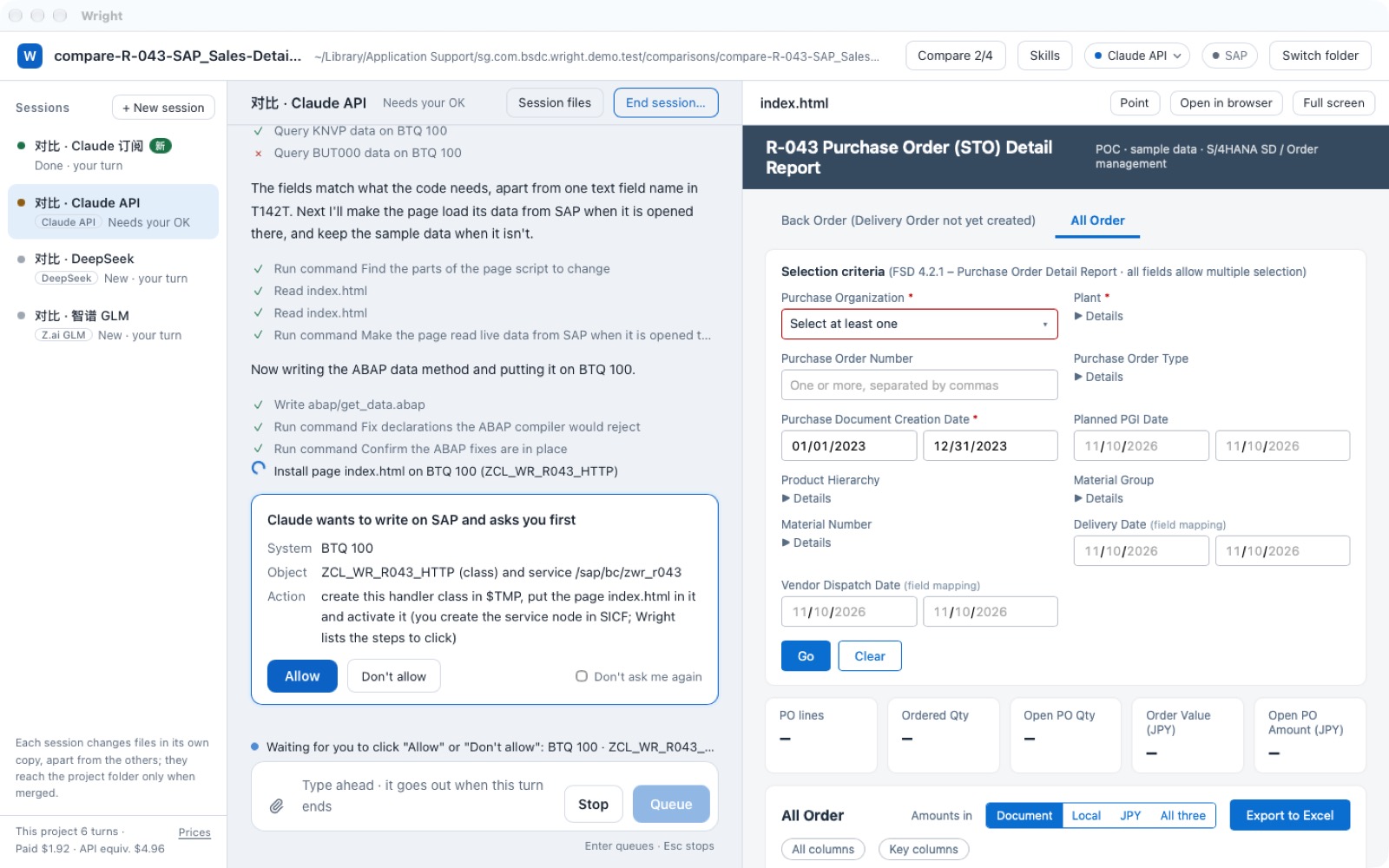
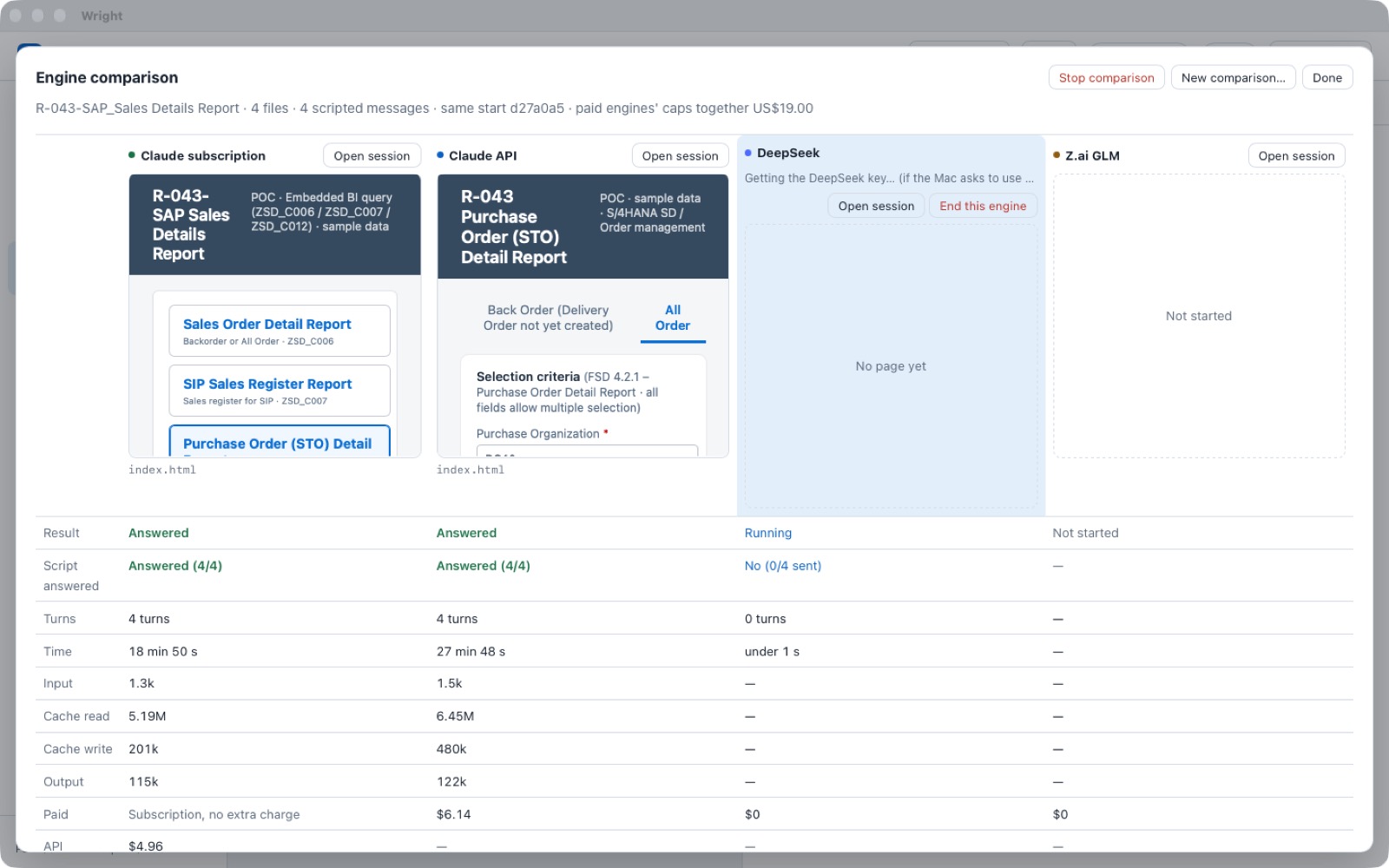
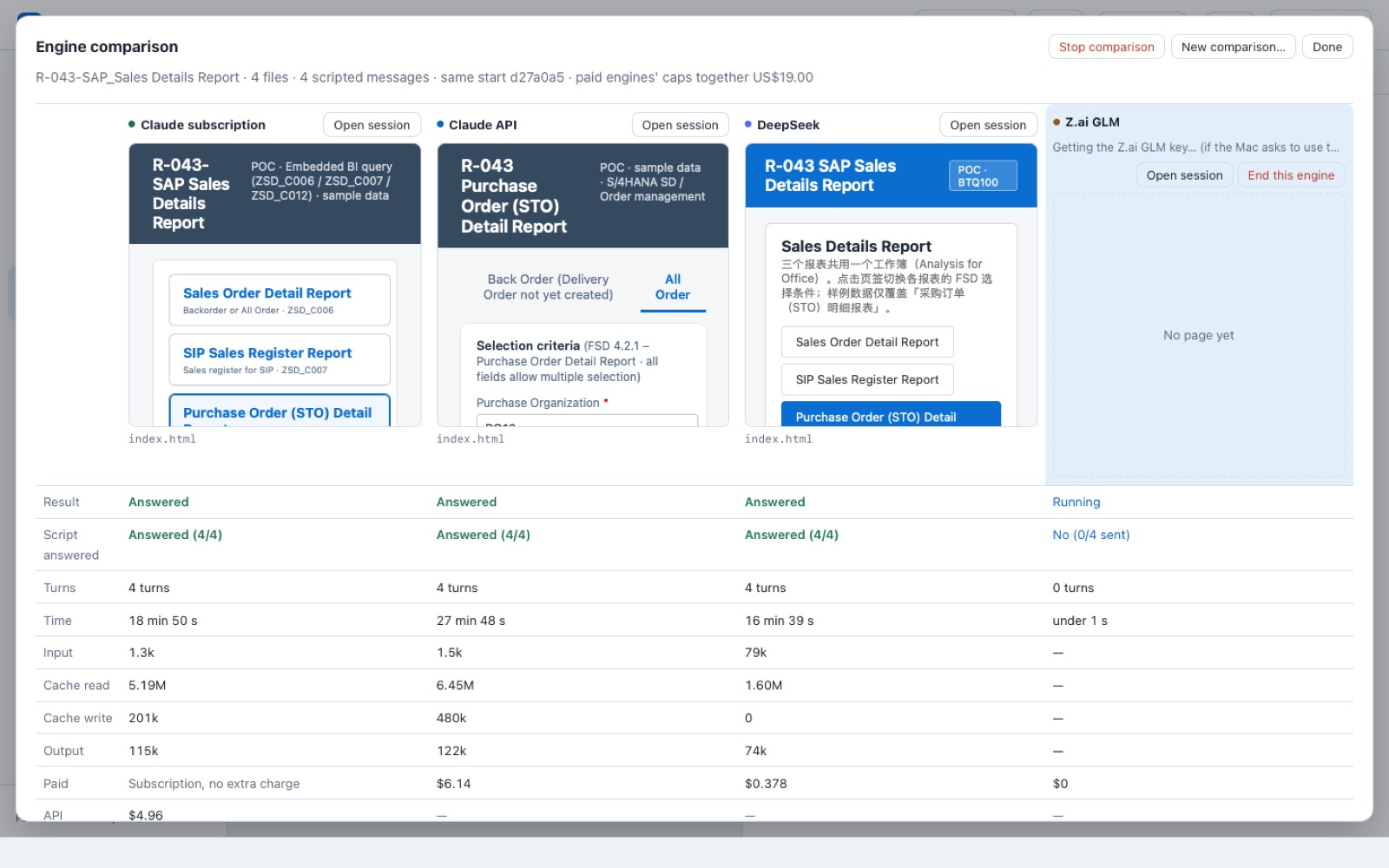
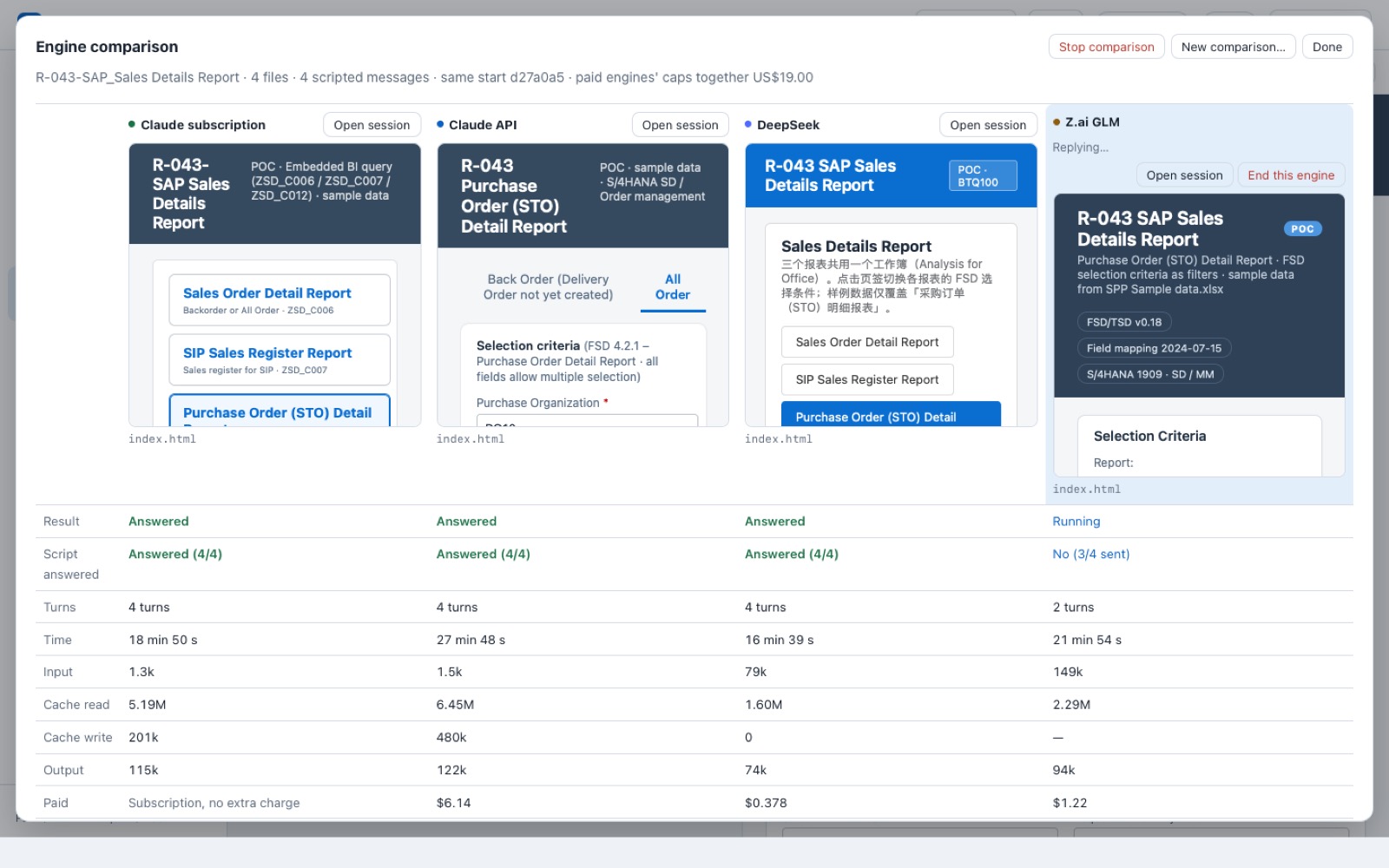
Earlier runs on the same report (yesterday and this morning)
| Engine | All 4 sentences done? | Time | Cost | People stepping in |
|---|---|---|---|---|
| Claude subscription | Done | about 13–16 min | monthly plan; about $3.5–5.1 at API prices | 0 |
| Claude API | Done | 12.5 min | $3.30 | 0 |
| DeepSeek | Done | 27 min | $0.35 | 0 |
| Zhipu GLM | Not finished (hit its cost cap) | 78–84 min | up to $5.10 | 0 |
Earlier runs ranked differently (GLM hit its cap then; DeepSeek was slower). Results vary run to run, which is why Wright lets you choose the engine per project and budget, and compare them on your own report.
08Progress
The first release has 13 parts. 12 are done and checked on the real app; the last one, this dry run and package, is in progress today.
- 1Wright runs as its own Mac app, one conversation with the assistantdone 11-08
- 2Several conversations run side by sidedone 11-09
- 3The page being built shows live beside the conversationdone 11-09
- 4Files and screenshots go straight indone 11-09
- 5Every instruction and change is recorded and kept in version historydone 11-09
- 6Reads SAP; writes only in BTQ's temporary areadone 11-09
- 7The report's page opens from BTQdone 11-09
- 8Any of four AI engines, behind one switchdone 11-09
- 9Every reply shows its time and costdone 11-09
- 10Skills library with versions and written rulesdone 11-09
- 11The four engines compared on the same reportdone 11-10
- 12Installs from a signed package, like any Mac appdone 11-09
- 13Full dry run on the demo Mac and this package for youin progress
Improvements added on 11-09 and 11-10, for what matters most to you
Honest labels: "done" means checked on the real app on the demo Mac. Two small issues seen in today's shots (the reply language after an engine switch, and the ATC count) are fixed in the newer build and not yet in the installed package.
09How Wright works
One Mac app. Files go in, you talk, the page changes beside the conversation. The engine behind it can be swapped. SAP is read freely, written only with your OK and only in a temporary area, and cleaned up after. Everything is recorded.
10Next
- Your own requirement, from scratch: take the 3 original attachments of the SIP sales order dashboard, build it in Wright from zero, and put it next to what you made earlier in Claude.
- From one person to a team: today it is one person on one Mac. Next is the platform you designed: a shared skills library, permissions by person and by system, and review plus transport requests up to QA and production.
- Try it and tell us: what matters most to you gets polished first.